
Website analytics
Every website you run, on one screen.
Visitors, sources, top pages and live traffic — for WordPress, Shopify, Squarespace, Wix, Webflow, a framework app or hand-written HTML. One line of code, or one plugin, and you are counting. Cookieless, so there is no consent banner to add.
No cookie banner Works on any platform Data stays off your site

Any platform
It does not care what your site is built on.
Most people end up with analytics per platform: one plugin on the WordPress blog, whatever the shop gives them, nothing at all on the landing page a designer built. ReplaStats is one account that covers all of it, so the numbers are comparable and live in one place.
One line, anywhere
A single script tag goes in the head of your site. Shopify, Squarespace, Wix and Webflow all have a box to paste it into, and a hand-built site just takes it directly. It is 4.7 KB and loads deferred, so it never holds a page up.
Or the plugin, on WordPress
If the site is WordPress you can skip the code entirely. The plugin arrives already connected and puts every report inside wp-admin — and it is included with any paid plan.
Single-page apps included
React, Next.js, Vue and Nuxt work with the same one line. Route changes are counted automatically — there is no router hook to write and nothing to wire into your navigation.
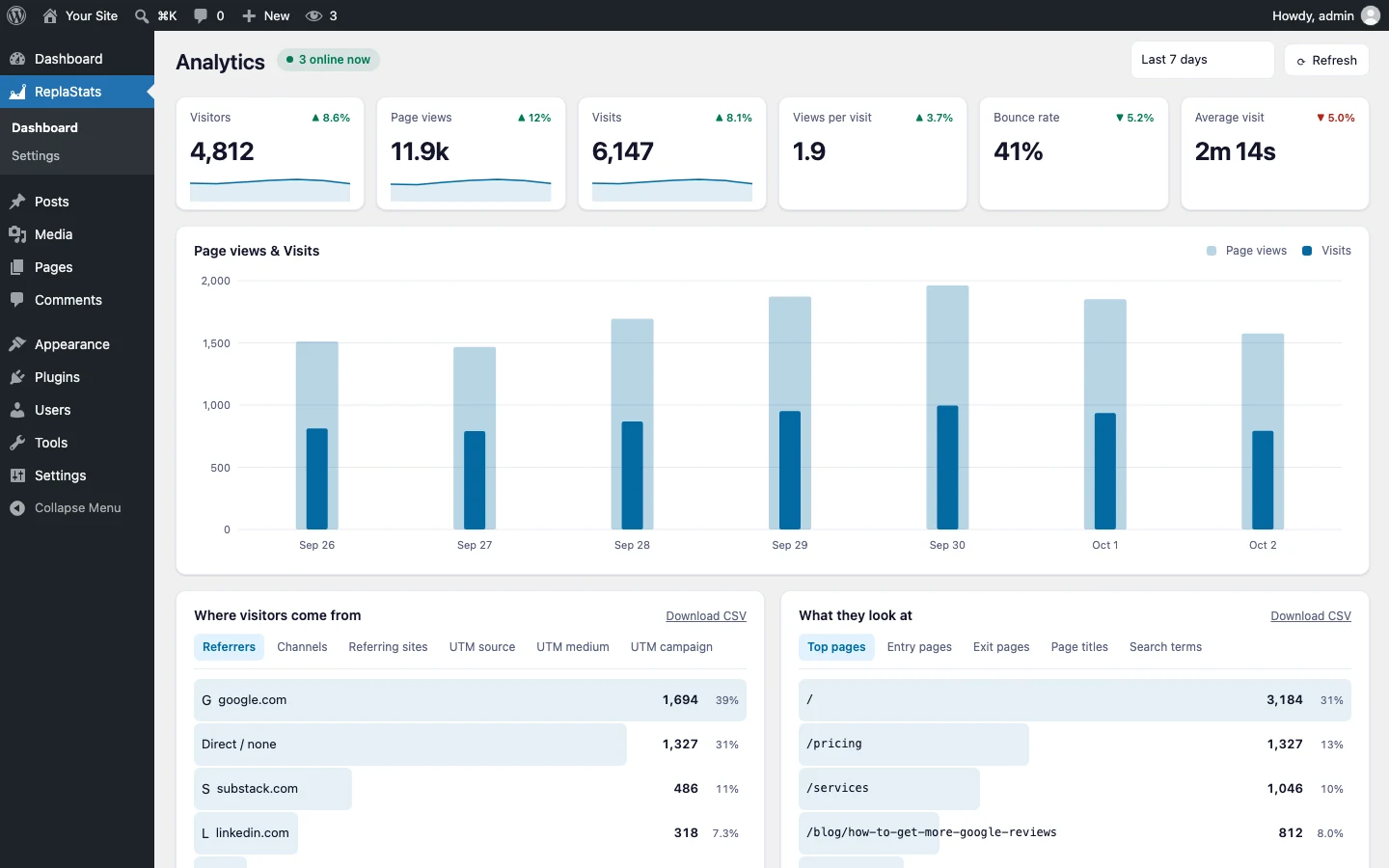
See the exact steps for your platform →
Compared with Google Analytics, Plausible and Hotjar · How cookieless analytics works · The WordPress plugin · Heatmaps for WordPress
Off your server
Your statistics should not live inside your website.
Analytics that store every visit in your own site grow heavier every month, and on shared hosting it starts to show. ReplaStats keeps the numbers on a separate analytics server, so your site stays exactly as fast as the day you installed it — and the history survives a redesign, a host move, or a rebuild on a different platform entirely.
Nothing to slow down
No tables filling up, no slowdown as traffic grows, nothing extra to back up. On WordPress in particular, that database bloat is what usually makes an analytics plugin a problem.
Replatform without losing the numbers
Move from Wix to WordPress, or from a static site to Next.js, and your history carries straight over. Change the snippet, keep the past.
No consent banner
Cookieless by design, and no personal data collected. Nothing to disclose, nothing to ask permission for.
The overview board
Every site on one screen, in the order you decide.
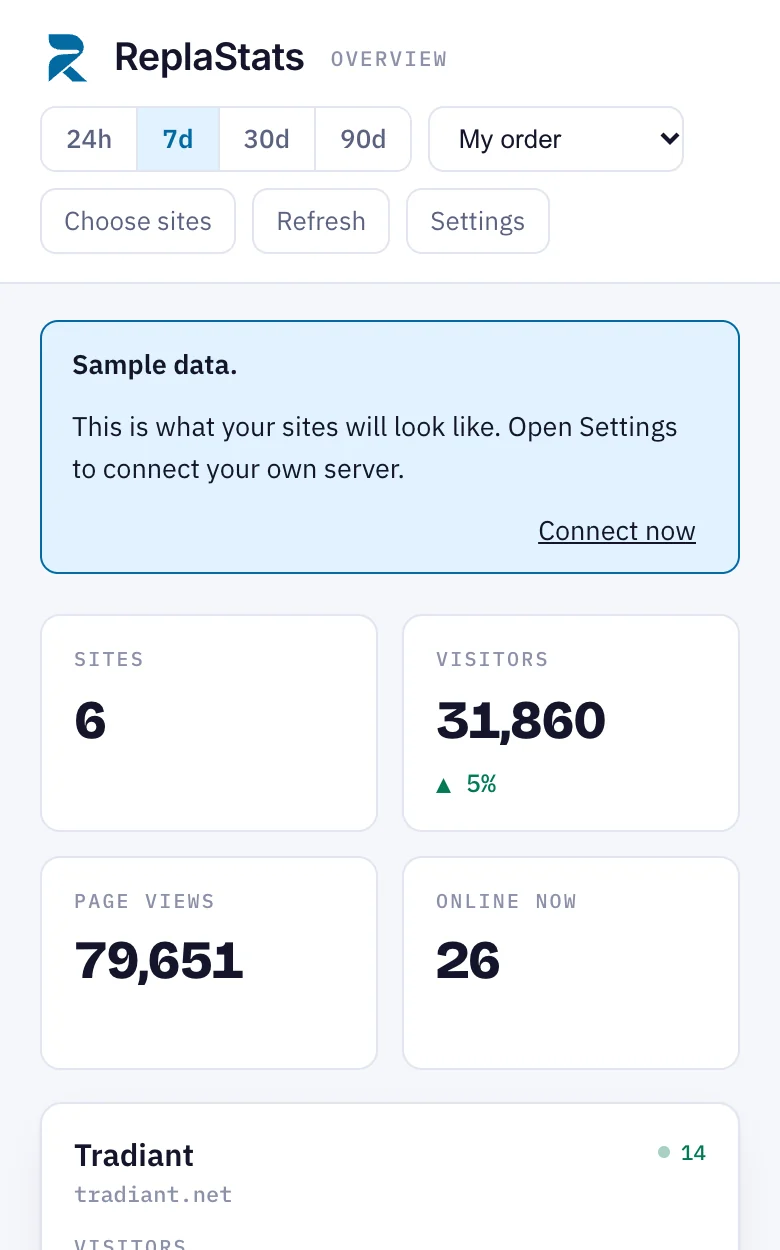
Stop opening five tabs to answer one question. The board puts every site side by side — visitors, the trend, bounce rate and who is reading right now — whatever each one happens to be built on.
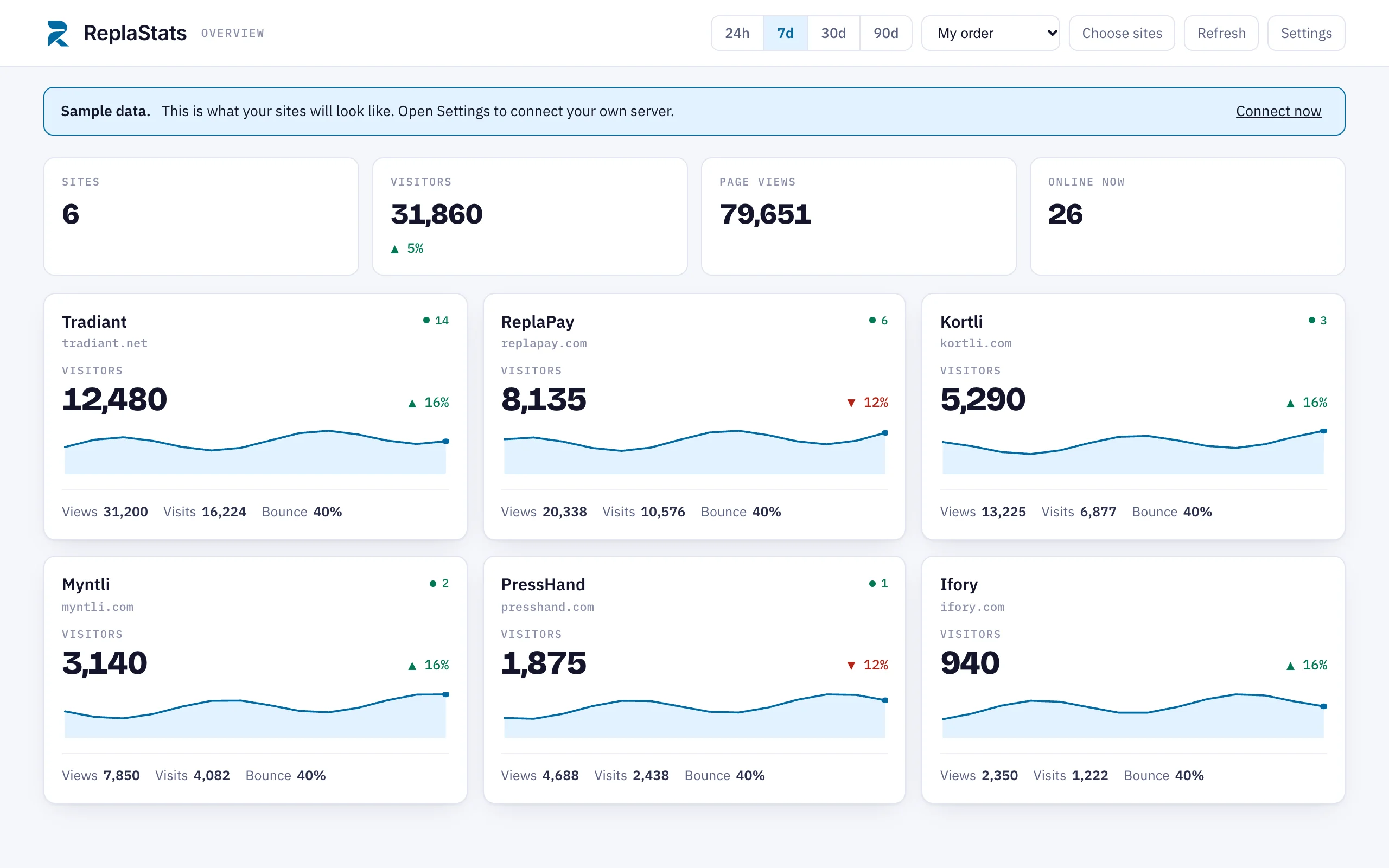
Pick what appears
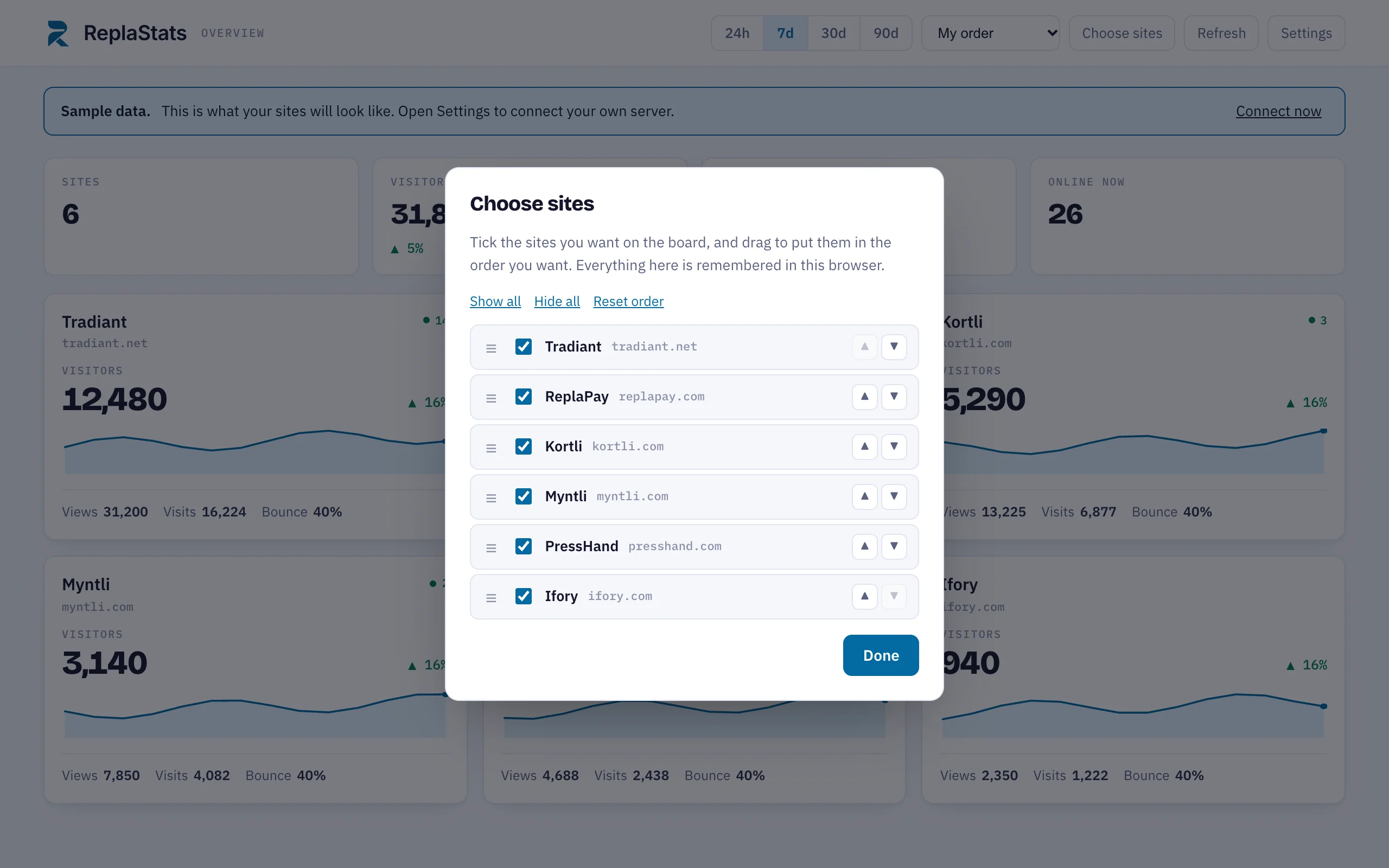
Thirty clients but only eight you watch daily? Tick the ones you want and the rest stay out of the way.
Drag them into order
Pick a card up and drop it where you want it. Biggest client first, or whatever order matches how you actually work.
Click through for the depth
Any card opens that site in full: sessions, journeys, funnels, goals, heatmaps, retention and session replays.
Or just ask Claude
On Pro and above, connect ReplaStats to Claude and ask in plain words — which site grew this month, what the top pages are, who is reading right now.
Pricing
Pay for the hosting. Everything else is included.
One price covers every site on your account, whatever each one is built on. Plans are limited by how many websites you track — never by how much traffic they get.
Starter
$9 a month
- 1 website
- 12 months of history
- Session replays and heatmaps
- WordPress plugin included
- $108 for twelve months
Every site on one board
Pro
$19 a month
- 10 websites
- 3 years of history
- The overview board
- The Claude connection
- Replays, heatmaps and the plugin
- $228 for twelve months
Agency
$49 a month
- Unlimited websites
- 5 years of history
- Everything in Pro
- $588 for twelve months
History is a rolling window. On Free you always see the most recent three months — when month four arrives, month one drops off. A larger plan widens the window rather than starting a new one.
The WordPress plugin, included
Every paid plan includes the ReplaStats plugin, which puts all of it inside wp-admin. You do not need it — the one-line snippet works on WordPress as well as anywhere else — but if your sites are WordPress it is the easier route, and it costs you nothing on top.
On its own, the plugin is $29 once. That is for people who run their own analytics server and just want the wp-admin screens: you own it outright, there is no subscription on it, and it does not expire. Buy the plugin on its own.
Fair use
Unlimited means unlimited for normal websites, and that covers essentially everyone. We do not meter your traffic, and we will never send you a bill you did not agree to. If one site ever grows so large that it affects other customers, we will get in touch and suggest a plan that fits — a conversation first, never a charge first.
A year of hosting, free, with four of our products.
Buyers of Kortli, ReplaPay, ReplaRank and ReplaProject get a full year of Starter hosting, and the WordPress plugin to keep. Your statistics are running before you have finished unpacking the product you came for.
After the year, Starter continues at $9 a month or drops to Free. The plugin stays yours either way, so you can point it at your own server if you prefer.
FAQ
Before you ask
Do I need WordPress?
No. ReplaStats works on any website that lets you add a line of code to the page — which is very nearly all of them. WordPress gets a plugin because it can, not because the product depends on it.
What if my sites are on different platforms?
That is the normal case, and it is what the board is for. A WordPress blog, a Shopify shop and a Webflow landing page all report into one account and sit side by side on the same screen, measured the same way.
How hard is it to install?
One script tag in the head of your site, which we send you with your website ID already filled in. On Shopify, Squarespace, Wix and Webflow there is a settings box made for exactly this. On WordPress you can upload the plugin instead and skip the code. The install page has the steps for each.
Does it work with React, Next.js or Vue?
Yes, with the same single line. The tracker watches the browser’s own history API, so client-side route changes are counted as page views automatically. There is no router hook to write.
Will it slow my site down?
No. The script is 4.7 KB and loads deferred, and the statistics are stored on our server rather than inside your website, which is what usually causes a slowdown.
Do I need a cookie banner?
Not for this. ReplaStats sets no cookies and collects no personal data, so there is nothing to ask consent for.
Is there a traffic limit?
No. Plans are limited by how many websites you track, not by how many people visit them. There are no event caps and no overage bills — just the fair use note above, which in practice affects almost nobody.
Can I use my own server instead?
Yes. The analytics engine underneath is Umami, which is free open-source software, so you can run it yourself and point the snippet or the plugin at your own server at no cost to us or to you. Hosting is a convenience you can add or drop, never a lock-in.
What are session replays?
A recording of what a real visitor did — where they scrolled, what they clicked, where they gave up. It is the fastest way to find out why a page is not working. Included from Starter upward.
Can each site see the other sites’ numbers?
Only if you want it to. By default the sites on one account share a login, which is what you want for your own properties. If you run sites for separate clients, tell us and we will give each one its own isolated account.
What if I cancel?
You move to the Free plan and keep reading the most recent three months, or you point your sites at your own server instead. If you had a paid plan the plugin stays yours — you keep it, and it carries on working. If you want the longer history, export it before you go.
Talk to us
Questions before you buy?
Tell us how many sites you run and what they are built on. We will say plainly whether ReplaStats fits, including when it does not.