

To connect Google Analytics, you create a free Google Analytics 4 property, add a web data stream for your site, and install the tag it gives you, either by pasting the snippet into your pages or through your platform's built-in field. The distinction that matters is between connecting and getting value: the tag takes ten minutes, while consent rules, configuration, and learning the interface take far longer.
TL;DR:
- Connecting takes four moves: create an account, create a property, add a web data stream, install the tag with its G- measurement ID.
- Standard Google Analytics 4 is free; the paid tier, Analytics 360, is aimed at large enterprises and costs far more.
- Share access through Admin > Access Management, and give people the lowest role that does the job.
- GA4 sets cookies, so in many regions you need consent handling before the tag fires, and that is the hidden cost of "free."
- If you only want visitors, sources, and top pages across several sites, a cookieless tool is a simpler choice than GA4.
Table of Contents
- What "Connect Google Analytics" Actually Means
- How to Get Access to Google Analytics and Create Your Property
- Installing the Tag: Snippet, Tag Manager, or Platform Field
- Is Google Analytics Difficult to Learn?
- How Much Does Google Analytics 4 Cost?
- How to Share Access to Your Google Analytics Account
- The Consent Problem Nobody Mentions in Setup Guides
- Connecting Google Analytics to Other Tools, Including AI Assistants
- Get Cookieless Traffic Numbers Without Learning GA4
- Frequently Asked Questions
- Sources
What "Connect Google Analytics" Actually Means
When people search "connect Google Analytics," they usually mean one of three different jobs, and mixing them up is where most setups go wrong.
- Installing the tag. This puts Google's measurement code on your site so it starts collecting visits. It is the job this article walks through.
- Linking to another Google product. Search Console, Google Ads, and BigQuery each have their own link screens inside Analytics Admin. They assume the tag is already working.
- Connecting a reporting or AI tool. Dashboards, spreadsheets, and assistants read data from your property through Google's API. They need a working property first, and often a service account too.
Everything below covers the first job, with sharing access and the second and third jobs after that. Get the first one wrong and the other two quietly inherit the problem.
How to Get Access to Google Analytics and Create Your Property
You don't need to buy anything to get access. Anyone with a Google account can sign in at analytics.google.com and start the setup flow. If you want a separate login for business use, create a dedicated Google account first. Tying a client's analytics to your personal Gmail is how sites end up orphaned when a freelancer moves on.
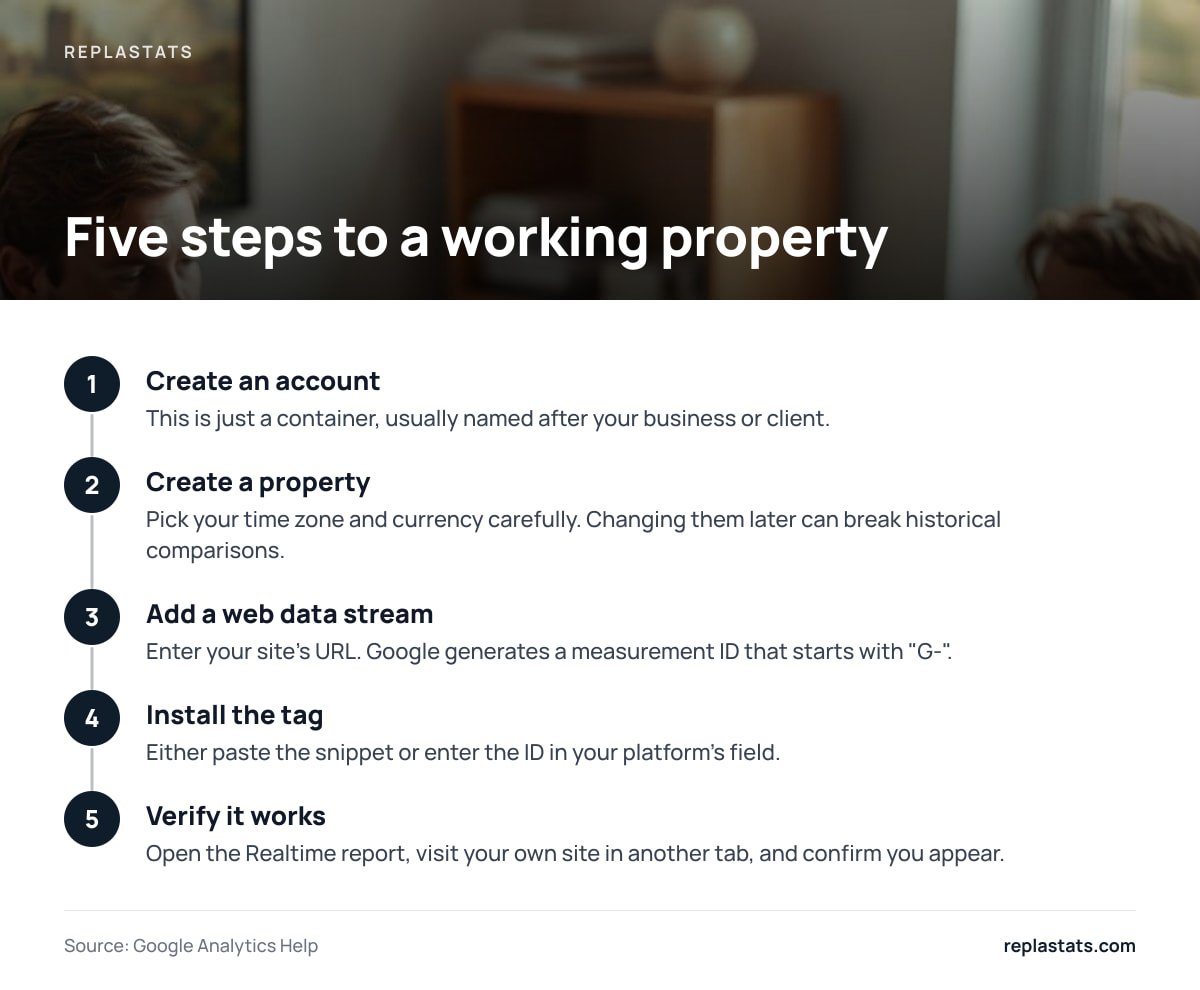
Google's own Analytics Help documentation describes the structure you are building: an account at the top, one or more properties beneath it, and data streams beneath those. The sequence looks like this:
- Create an account. This is just a container, usually named after your business or client.
- Create a property. Pick your time zone and currency carefully. Changing them later can break historical comparisons.
- Add a web data stream. Enter your site's URL. Google generates a measurement ID that starts with "G-".
- Install the tag. Either paste the snippet or enter the ID in your platform's field.
- Verify it works. Open the Realtime report, visit your own site in another tab, and confirm you appear.
You will also see the older Universal Analytics terminology in tutorials. That version stopped processing data in July 2023, so any guide telling you to find a "UA-" tracking ID is out of date.
Installing the Tag: Snippet, Tag Manager, or Platform Field
There are three ways to place the tag, and the right one depends on how your site is built.
Paste the gtag snippet
Copy the code from the data stream's "View tag instructions" screen and place it in the <head> of every page. This is the most direct route and the one with the fewest moving parts. It suits hand-built sites and small projects.
Use Google Tag Manager
You install one container snippet, then add and change tags from a web interface without touching the site again. I would pick this if more than one person will ever add tracking, because it keeps changes versioned and reversible. For a solo site that will only ever run one tag, it is extra machinery.
Use your platform's built-in field
Most site builders have a settings box that accepts the measurement ID, so you never see code. Some themes and plugins also accept it. The trade-off is control: you inherit whatever the platform decides about where and when the tag loads, which matters once consent rules enter the picture.
| Method | Best for | Effort | Main risk |
|---|---|---|---|
| Paste gtag snippet | Hand-coded or small sites | Low | Missing a page template |
| Google Tag Manager | Teams, multiple tags | Medium | Mis-firing triggers go unnoticed |
| Platform ID field | Site-builder users | Lowest | Little control over load timing |
Is Google Analytics Difficult to Learn?
Installing it is easy. Using it well is not, and you should plan for that rather than discovering it in month three.
GA4 replaced pageview-based reporting with an event model, where every interaction is an event with parameters. That is flexible, but it means common questions like "which page brought the most signups" often require setting up a key event, then building an exploration report. The default reports answer broad questions and rarely the specific one you came with.
A new GA4 property keeps event-level data for only 2 months by default, and you must manually change the setting to 14 months in Admin > Data Settings > Data Retention.
That single toggle catches many people out. Set it on day one, because it cannot recover data you already lost. Realistically, expect a few hours to understand the interface and a few weeks to trust your own numbers. If you only need a handful of answers, the learning curve is out of proportion to the payoff, a point we also made in How to Analyze Website Traffic Without Drowning in Dashboards.
How Much Does Google Analytics 4 Cost?
Standard Google Analytics 4 is free. You pay nothing to create a property, collect data, or use the reports, within the product's published limits on things like event volume per property and the number of custom definitions.
The paid option is Analytics 360, which targets large organizations and is sold through Google's sales channels with pricing set per contract rather than published as a flat rate. Most site owners will never need it.
The real costs of "free" are elsewhere:
- Your time. Configuration, key events, and report building add up.
- Consent tooling. If you need a consent banner, that may mean a paid tool or developer time.
- Data sampling and thresholds. Some reports apply thresholds that hide small segments, which matters on low-traffic sites.
- Your visitors' data. Collected data is processed by Google under its terms, which some organizations cannot accept.
How to Share Access to Your Google Analytics Account

Sharing is done in Admin, not by handing over your password. Open Admin, choose Account Access Management or Property Access Management, click the plus icon, and enter the person's Google account email. You can set access at the account level, which flows down to every property, or at the property level for tighter control.
GA4 offers these roles:
| Role | What it can do |
|---|---|
| Viewer | See reports and configuration, change nothing |
| Analyst | Everything a viewer can, plus create shared reports and explorations |
| Marketer | Create and edit audiences and events, plus the analyst abilities |
| Editor | Edit property settings, but not manage users |
| Administrator | Full control, including adding and removing users |
Pro Tip: Grant access at the property level, not the account level, whenever a contractor only needs one site, and make yourself or a company-owned address an Administrator on the account. When a freelancer leaves, you want to remove one person from one property, not discover they were the only admin on everything.
Google's Analytics Help section on access and data-restriction management documents the role definitions if you need the exact permissions for an audit.
The Consent Problem Nobody Mentions in Setup Guides

This is the case where the obvious answer is wrong. The obvious answer is "paste the tag and you are done." In many places you are not done, because GA4 uses cookies and processes identifiers that data-protection law treats as personal data.
If you serve visitors in the European Union, the GDPR as published by the European Union and the ePrivacy rules generally require consent before non-essential cookies are set. In practice that means a banner, a consent mode setup, and an agreement with how your tag behaves before a visitor clicks accept. Visitors who decline are invisible to your reports, so your numbers undercount real traffic, sometimes substantially.
The trade-off is real: you get a very capable tool, and in exchange you take on a compliance job. If your needs are modest, such as total visitors, where they came from, and which pages work, a cookieless tool avoids that job entirely. That is the same reasoning we laid out in Website Analytics: What It Measures and What Tools Only Guess.
Connecting Google Analytics to Other Tools, Including AI Assistants
Once the tag works, you can pipe your data elsewhere. Search Console links through Admin > Product links, and give you query and landing-page data inside the same interface. Google Ads works the same way and also lets you import conversions.
For AI assistants, the route is Google's Analytics Data API, usually through a service account or OAuth credentials that a connector uses to read reports. The connector does the asking; the quality of the answer still depends entirely on how clean your underlying property is. If key events are missing or the timezone is wrong, an assistant will confidently report wrong numbers. We cover the practical limits in Google Analytics MCP Server: Setup, Limits and When to Skip It.
My position: link Search Console and nothing else until you have a month of data you trust. Every extra connection is another place for a mistake to hide.
Get Cookieless Traffic Numbers Without Learning GA4

If your actual goal is a clear count of visitors, sources, and top pages across several sites, Replastats does that with a single 4.7 KB deferred script tag or a pre-connected WordPress plugin. It is cookieless, so it needs no consent banner, and its data sits on a separate server rather than in your site's database. A free single-site tier exists; paid Starter, Pro, and Agency plans add longer history, session replays, heatmaps, and a multi-site board that shows every site on one screen.
Pro and Agency also let you ask Claude questions about your analytics in plain language. The honest caveat: Replastats is deliberately simpler than GA4, so if you need custom event funnels, audience building for ad platforms, or deep attribution modeling, GA4 is still the better tool for that job, and you can run both.
Frequently Asked Questions
How do I get access to Google Analytics for my website?
Sign in at analytics.google.com with any Google account, create an account and a property, then add a web data stream for your site's URL. Google gives you a measurement ID beginning with "G-" that you install on your site through a snippet, Tag Manager, or your platform's settings field.
How much does Google Analytics 4 cost?
Standard Google Analytics 4 is free to use. Analytics 360, the enterprise version, is sold on custom contracts through Google, and most small sites never need it. The practical costs of the free version are your setup time and any consent-banner tooling.
Is Google Analytics difficult to learn?
Installing the tag is quick, but GA4's event-based model takes real time to understand. Expect a few hours to find your way around and a few weeks to trust your own reports. If you only need basic traffic answers, a simpler tool shortens that curve.
How do I share access to my Google Analytics account?
Go to Admin, open Account Access Management or Property Access Management, click the plus icon, and add the person's Google account email with a role such as Viewer, Analyst, Marketer, Editor, or Administrator. Give the lowest role that does the job and avoid sharing passwords.
Why isn't my Google Analytics showing any data after I connect it?
First open the Realtime report and visit your site in another tab to confirm the tag fires. Common causes are a tag placed on only some pages, an ad blocker on your own browser, or a consent banner blocking the tag until you accept.
Sources
- Analytics Help | Google
- [GA4] Access and data-restriction management | Google
- General Data Protection Regulation (GDPR) overview | European Union
- Tag Manager Help | Google