

The Google Analytics MCP server is Google's official, free, open-source connector that lets an AI assistant such as Claude or Gemini query your GA4 data in plain English. It is read-only, runs on your own computer, and needs a Google Cloud project before it works. It makes asking questions easier. It does not make the data any more complete, because the AI can only report what GA4 already collected.
TL;DR:
- Google's official Analytics MCP server is free, open source, read-only, and runs locally on your machine rather than as a hosted service.
- Setup needs Python, pipx, the gcloud CLI, two enabled Google APIs and Application Default Credentials. Expect 20 to 40 minutes the first time.
- It works with any MCP client that runs local servers, including Claude Desktop and Gemini CLI. Remote-only clients need extra hosting work.
- Answers inherit every GA4 gap: consent-declined visitors, data thresholds, processing delays and API quotas. The AI will not flag these unless you ask.
- Google Analytics is not discontinued. Universal Analytics stopped processing data in July 2023, and GA4 is the product this server queries.
Table of Contents
- What the Google Analytics MCP Server Actually Does, Tool by Tool
- How to Connect Google Analytics to MCP, Step by Step
- Claude, ChatGPT and Gemini: Which Clients Work Today
- Where the Answers Go Wrong, and How to Catch It
- Is Google Analytics Discontinued? What Changed in 2023
- Search Console, Tag Manager and Other Google MCP Servers
- Should You Bother? An Honest Verdict for Small Sites and Agencies
- Ask Claude About Every Site You Run, Without a Cloud Project or a Banner
- Frequently Asked Questions
- Sources
What the Google Analytics MCP Server Actually Does, Tool by Tool
MCP stands for Model Context Protocol, an open standard for connecting AI assistants to outside data and tools. The Model Context Protocol project describes it as a common way for applications to give context to large language models. An MCP server is the piece that sits between the AI and a data source. It exposes a fixed set of "tools" the AI is allowed to call.
What is GA4 MCP? It is shorthand for the MCP server that connects an AI assistant to Google Analytics 4. Google maintains it in the googleanalytics/google-analytics-mcp repository on GitHub. Google labels it experimental. When you ask "which landing pages lost traffic last week?", the assistant translates your question into a GA4 Data API request, runs it through the server, and summarizes the result.
The server is deliberately narrow. It reads data. It cannot change property settings, create audiences, or edit conversions. The tools it exposes fall into three groups:
| Tool group | What it lets the AI do | Example question |
|---|---|---|
| Account and property info | List the accounts and properties you can access, read property details, see linked Google Ads accounts | "Which GA4 properties do I have access to?" |
| Core reporting | Run reports with dimensions, metrics, date ranges and filters through the Data API | "Top 10 pages by sessions from organic search in May" |
| Realtime reporting | Query the realtime report covering roughly the last 30 minutes | "How many people are on the site right now, and from where?" |
| Custom definitions | Read the custom dimensions and metrics defined on a property | "What custom events am I tracking?" |
Does Google have an MCP server? Yes. The Analytics one is the most relevant here. Google has also published MCP servers and toolkits for some of its cloud and developer products. Each one is separate, with its own setup and permissions. Connecting Analytics does not give an assistant access to Search Console, Ads or Tag Manager.
How to Connect Google Analytics to MCP, Step by Step

Google's own guide, Try the Google Analytics MCP server, uses Gemini CLI as the example client. The same steps work for Claude Desktop and other clients that run local servers. Here is the sequence, with the parts that trip people up called out.
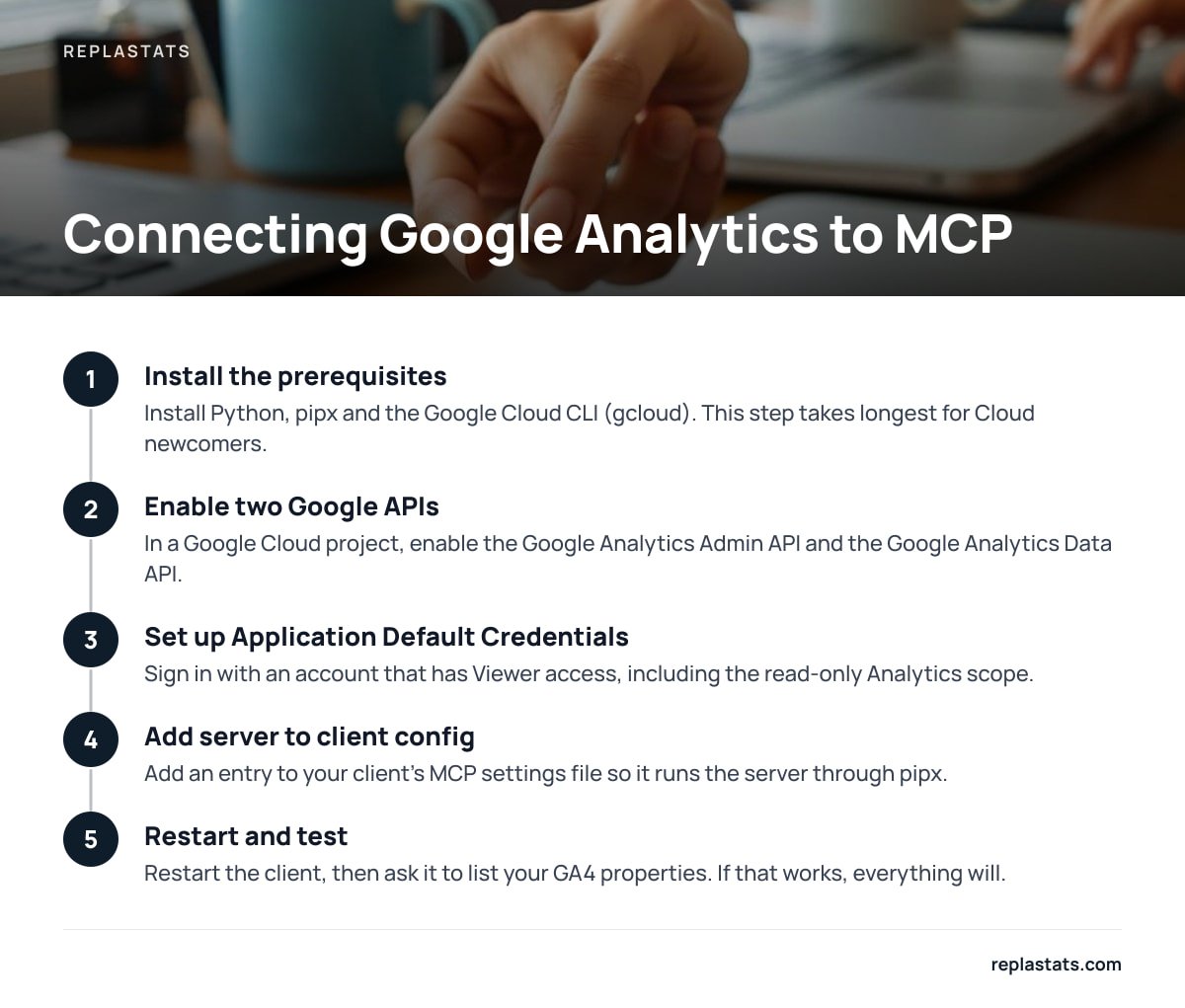
1. Install the prerequisites
You need Python and pipx, which runs Python apps in isolated environments. You also need the Google Cloud CLI (gcloud). If you have never touched Google Cloud, this step takes the longest.
2. Create or pick a Google Cloud project and enable two APIs
In that project, enable the Google Analytics Admin API and the Google Analytics Data API. The Admin API lists accounts and properties. The Data API runs the reports. If you enable only one, the assistant will either fail to find your properties or find them and fail to report on them.
3. Set up Application Default Credentials
Sign in with a Google account that has at least Viewer access to the GA4 properties you want to query. Include the read-only Analytics scope. The README shows a command along these lines:
gcloud auth application-default login --scopes https://www.googleapis.com/auth/analytics.readonly,https://www.googleapis.com/auth/cloud-platform
This saves a credentials file on your machine. Note its path, because some clients need it.
4. Add the server to your AI client's config
For Claude Desktop or Gemini CLI, add an entry to the client's MCP settings file. The entry tells the client to run the server through pipx. Depending on your setup, it may also need environment variables pointing to your credentials file and your Cloud project ID. Restart the client, then ask it to list your GA4 properties. If that works, everything else will.
Pro Tip: Before you ask any real question, ask the assistant to call the custom-definitions tool and the property-details tool for your property. Then tell it to use only those dimension and metric names. Most "wrong" answers come from the model guessing a field name that sounds right, such as "pageviews" or "bounces." GA4 does not use either of those as field names, so the request either errors or quietly gets substituted with something else.
Google Analytics MCP server free? Yes. The server is open source, and the GA4 Data API has no usage charge on standard properties. You pay only for the AI client you use it with.
Claude, ChatGPT and Gemini: Which Clients Work Today
The deciding factor is where the server runs. Google's server runs locally on your computer and talks to the client over standard input and output. Any client that can launch local MCP servers can use it directly.
- Claude Desktop. Works with the config-file approach above. This is the most common setup you will see in Reddit threads and YouTube tutorials, and it is the one I would pick for a first try.
- Gemini CLI. This is the client Google's own documentation uses, so it has the best official instructions.
- ChatGPT. ChatGPT's MCP support centers on remote servers reached over the internet. To use Google's local server with it, you would have to host the server somewhere and expose it securely. That is a real engineering job, not a settings change.
If a third-party site offers a hosted "GA4 MCP" you can paste into a web chat, check who runs it. That service holds a token that can read your analytics. Google's local version never sends your credentials to anyone except Google and your AI provider.
Where the Answers Go Wrong, and How to Catch It

This is the section the setup tutorials skip. The MCP server returns exactly what the GA4 Data API returns. The assistant then writes a confident paragraph about it. Four gaps carry straight through.
- Consent-declined visitors. If your site uses a cookie banner and a visitor declines, GA4 either records nothing or relies on modeled data, depending on your Consent Mode setup. The AI does not know what share of visitors declined. A "12% drop" might be a banner change, not a traffic change.
- Data thresholds. Google applies data thresholds to some reports to prevent identifying individual users, especially when Google signals is enabled or when demographic data is involved. Rows get withheld. The AI sees a smaller table and reports it as the full picture.
- Processing delay. Standard GA4 reports can take a day or more to settle. Asking "how did yesterday compare to last Tuesday?" in the morning can compare incomplete data against complete data.
- Quotas. Every report the assistant runs uses Data API tokens. A chatty session that retries failed queries uses them faster than you would expect.
On a standard GA4 property, the Data API allows 200,000 core tokens per property per day and 40,000 per hour, with 10 concurrent requests, according to Google's Data API quota documentation.
Most small sites will never hit those limits from casual questions. An agency pointing one Cloud project at many client properties, or a script looping questions overnight, can. The fix for the first three gaps is the same: ask the assistant to state the date range, whether the data looks thresholded, and the row count before it draws a conclusion. For a broader method that holds up whatever tool you use, see how to analyze website traffic without drowning in dashboards.
Is Google Analytics Discontinued? What Changed in 2023
No. Google Analytics is not discontinued. What ended was Universal Analytics, the older version. Google's Universal Analytics sunset notice explains that standard Universal Analytics properties stopped processing data on July 1, 2023. Analytics 360 properties followed in 2024, and Google has since removed access to the old interface and API.
This matters for MCP because the official server speaks only to GA4 through the GA4 Data and Admin APIs. If you are looking for a way to ask an AI about historical Universal Analytics data, this server will not do it. Unless you exported that data before the shutdown, it is gone.
Search Console, Tag Manager and Other Google MCP Servers
People searching for the Analytics server usually want the neighbors too. Here is the honest state of things.
- Google Search Console MCP server. There are community-built servers that wrap the Search Console API. Treat them like any third-party code with access to your account: read the source, check how recently it was updated, and grant read-only scopes.
- Google Tag Manager MCP server. Community options exist here too, and some can write changes to containers, not just read them. That is a different risk level. An AI that can publish a GTM container can break tracking across a whole site in one step.
- Google Analytics MCP server example repos. The official GitHub repository is the reference. Forks and "example" repos often add features, but they also drift from Google's version.
My position: use Google's official Analytics server, and stay read-only everywhere else. Nothing you gain from letting an AI edit tags is worth an unreviewed publish.
Should You Bother? An Honest Verdict for Small Sites and Agencies

The Reddit consensus on the GA4 MCP is roughly right. It is impressive for quick, ad-hoc questions, and it is fiddly to set up. It is also only as good as the GA4 implementation underneath it. Here is how I would decide.
| Your situation | Worth it? | Why |
|---|---|---|
| Analyst already living in GA4 and Google Cloud | Yes | Setup takes minutes, and plain-English queries save real time on one-off reports |
| Marketer running Google Ads with GA4 conversions | Probably | Fast answers on campaign traffic, if you check thresholds |
| Freelancer or agency with sites on several platforms | Rarely | One Cloud setup per access arrangement, plus a consent banner on every site, adds up |
| Site owner who just wants visitors, sources and top pages | No | You would be learning Google Cloud to ask simple questions about incomplete data |
The case where the obvious answer is wrong is the last row. If GA4 felt too complex, adding an AI on top does not remove the complexity. It hides it. You still need the property, the tag, the consent banner and the Cloud project. You just stop seeing them until an answer comes back wrong. If what you really want is simple numbers without a banner, choosing a cookie-free analytics tool solves the actual problem. Compare the options in our guide to website analytics tools that need no consent banner.
Ask Claude About Every Site You Run, Without a Cloud Project or a Banner
If the appeal of the Google Analytics MCP server was "ask an AI about my traffic," Replastats gets you there without the setup chain. It is cookieless, so it records visitors who would have declined a GA4 banner, and there is no Consent Mode guesswork for the AI to misread. Install it with one 4.7 KB deferred script tag or the WordPress plugin, on WordPress, Shopify, Squarespace, Wix, Webflow, a JavaScript framework or plain HTML. The Pro and Agency plans let you ask Claude about your analytics directly and show every site on one multi-site board.
The honest limit: asking Claude is a Pro and Agency feature, not part of the free single-site tier. Replastats also is not built to replace GA4 for Google Ads conversion modeling. If paid-search attribution is your main job, keep GA4 for that and check our plan spec sheet for exactly what each tier includes before you switch.
Frequently Asked Questions
Is the Google Analytics MCP server official?
Yes. Google maintains it in the googleanalytics/google-analytics-mcp repository on GitHub and documents it on Google for Developers. It is open source and labeled experimental, so expect occasional changes.
Can the Google Analytics MCP server change my GA4 settings?
No. It is read-only and exposes tools for listing properties, reading property details and custom definitions, and running core and realtime reports. It cannot edit conversions, audiences or property configuration.
Does the GA4 MCP server work with Claude?
Yes. Claude Desktop can run local MCP servers, so you add the server to Claude's MCP config file and restart the app. You still need the Google Cloud setup, enabled APIs and Application Default Credentials first.
Can I use the Google Analytics MCP server with ChatGPT?
Not directly. Google's server runs locally, and ChatGPT's MCP support centers on remote servers. You would need to host the server and expose it securely, which is a development project rather than a settings change.
Why does the AI give different numbers than the GA4 interface?
Usually it chose a different metric, date range or filter than the one you were looking at, or the report hit data thresholds. Ask the assistant to state the exact dimensions, metrics, date range and row count it used, then match those in the interface.
Sources
- google-analytics-mcp repository | GitHub (Google Analytics)
- Try the Google Analytics MCP server | Google for Developers
- Google Analytics Data API quotas | Google for Developers
- Universal Analytics is going away | Google Analytics Help
- Data thresholds | Google Analytics Help
- Model Context Protocol introduction | Model Context Protocol