

Why is GA4 so hard to use? It was built for a different job than the one most site owners hired it for. GA4 treats every interaction as an event so advertisers and analysts can connect web and app behavior, while you probably just want to know how many people visited, where they came from, and which pages worked. The difficulty is a purpose mismatch, not a lack of skill on your part.
TL;DR:
- GA4 is hard because it is an event-based analysis tool for advertisers and analysts, not a simple traffic dashboard.
- Five settings cause most of the pain: data retention, data thresholds, processing delays, event naming, and reporting identity.
- Fixing GA4 takes about an hour of configuration, and it is worth doing if you run paid ads or need BigQuery.
- If your questions are "how many visitors, from where, to which pages," you do not need GA4's depth, and a simpler tool will answer them faster.
- GA4 also sets cookies, which brings a consent decision that a cookieless tool avoids.
Table of Contents
- Why GA4 Is Hard to Use: A Tool Built for Someone Else
- The Event Model: What Changed and Why It Confuses You
- Five Specific Places GA4 Trips People Up
- How to Make GA4 Less Painful If You Are Staying
- When "Just Learn GA4" Is the Wrong Advice
- The Consent Problem Behind the Interface
- What to Look For in a Simpler Replacement
- Get a Traffic Dashboard You Can Read Without Learning GA4
- Frequently Asked Questions
- Sources
Why GA4 Is Hard to Use: A Tool Built for Someone Else

Most advice on this topic treats GA4's difficulty as a design failure. I think that is the wrong diagnosis. GA4 is not a worse version of the old tool. It is a different kind of tool, aimed at marketers who run paid campaigns, analysts who export raw data to a warehouse, and teams that track an app and a website together.
If you are a site owner, freelancer, or small agency, you are using a power tool to do a job that needs a tape measure. Every menu assumes you want to build a custom exploration. You wanted a number.
That mismatch explains almost every complaint you will read in forums. The interface is not hiding the simple answer from you. It was never designed to put the simple answer first.
The Event Model: What Changed and Why It Confuses You

The old Universal Analytics organized data around sessions and pageviews. GA4 organizes everything around events. A page load is an event. A scroll is an event. A file download is an event. A purchase is an event with parameters attached.
That is flexible, but it forces you to learn a new vocabulary before you can read a report. Here is how the old concepts map to the new ones:
| If you remember this | GA4 calls it | What trips people up |
|---|---|---|
| Pageview | The page_view event |
It is one event among many, not the core unit |
| Goal | Key event (renamed from "conversion" in 2024) | You must mark the event yourself |
| Bounce rate | Engagement rate, with bounce rate as its inverse | An "engaged session" means 10+ seconds, a key event, or 2+ page views |
| Category / Action / Label | Event parameters | Parameters are invisible in reports until you register them as custom dimensions |
| View | Data stream | You can no longer create filtered copies of your data |
The last row matters more than it looks. In the old tool you could build a clean view that excluded your own traffic or a staging domain. In GA4 you get internal-traffic filters and data streams, and each one needs deliberate setup.
Five Specific Places GA4 Trips People Up
Short data retention
Event-level data in Explorations is limited by a retention setting. Google's documentation on data retention says the setting can be two months or 14 months for standard properties. Many properties sit on the shorter default.
GA4's event data retention defaults to two months, and the longest you can set in a standard property is 14 months.
This catches people when they try to compare this holiday season with last year's in an Exploration and find nothing there. Standard aggregated reports keep a longer history, but the custom analysis you reach for to answer a real question does not.
Hidden rows from data thresholds
Sometimes a report shows fewer rows than you know exist, or a number looks suspiciously low. Google applies data thresholds to protect individual users from being identified, and the effect is strongest when demographic or Google signals features are active. Small sites feel it most, because small counts are the easiest to identify.
You will not see an error. You will see a smaller table and wonder what you did wrong. Often nothing.
Delayed and shifting numbers
Google notes that standard reports can take 24 to 48 hours to fully process. The real-time view helps for checking that a tag fires, but it is not a reporting tool. If you launched a page this morning and want to know how it did by lunch, GA4 is the wrong place to look.
Events that do not show up where you expect
You can send a custom event and see it arrive in the event list, then search for it in a report and find nothing. The parameters on that event do not become reportable until you register them as custom dimensions or metrics. Registration is not retroactive, so data from before you registered it will not appear.
Reporting identity and attribution settings
Reporting identity decides how GA4 stitches users together, mixing signed-in IDs, Google signals, and device IDs. If thresholding hurts, switching to the device-based identity setting reduces it, at the cost of less cross-device stitching. Almost nobody tells you this tradeoff exists, and the default is not always the right one for a small site.
How to Make GA4 Less Painful If You Are Staying
If you advertise through Google, need BigQuery, or have a team that already knows the tool, stay and fix it. Here is the order I would work in:
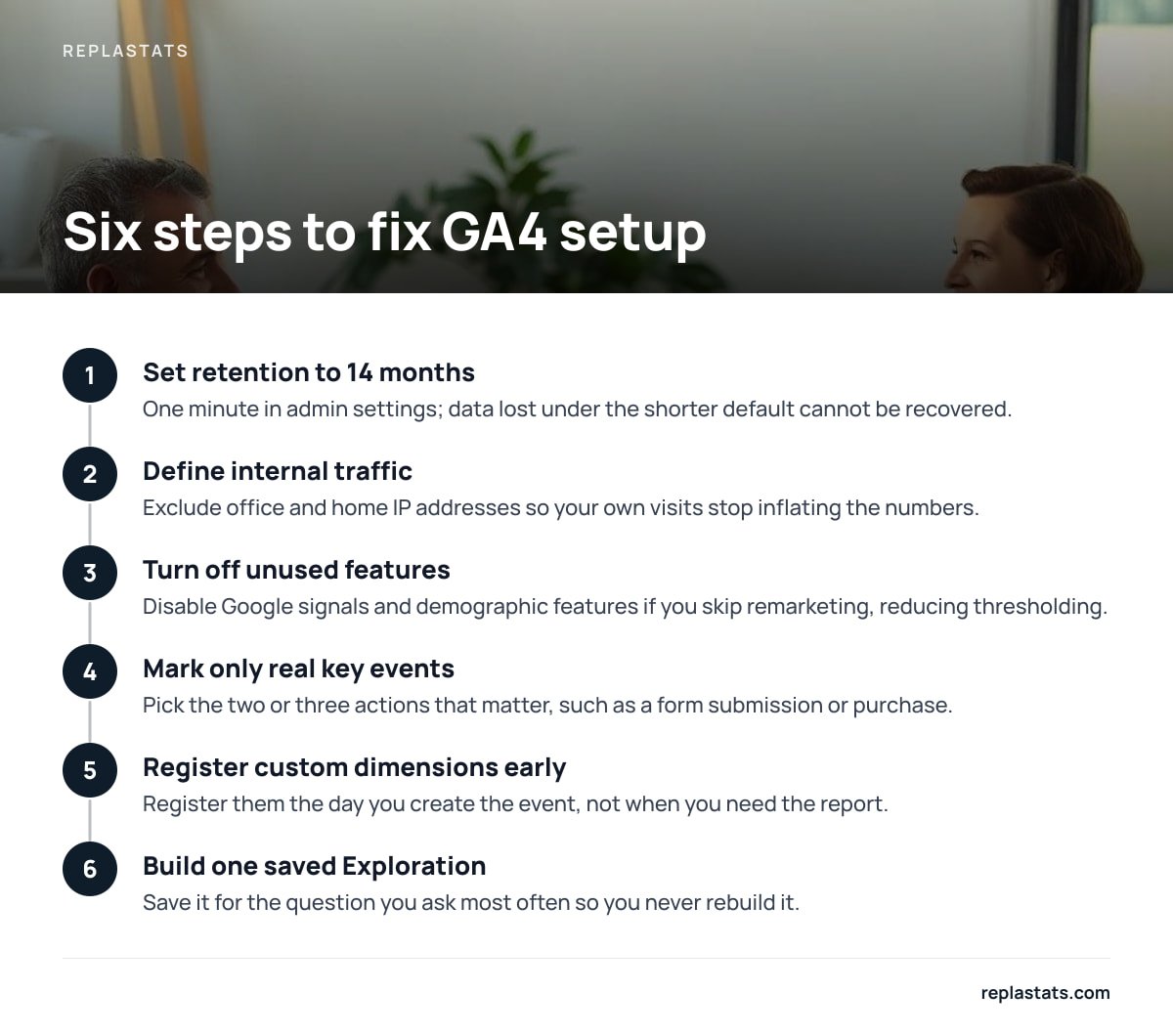
- Set retention to 14 months. It takes one minute in the admin settings, and you cannot recover data you lost under the shorter default.
- Define internal traffic. Exclude your office and home IP addresses so your own visits stop inflating the numbers.
- Turn off what you do not use. Disable Google signals and demographic features if you do not run remarketing. That reduces thresholding and simplifies your consent picture.
- Mark only the real key events. Pick the two or three actions that matter, such as a form submission or purchase, and ignore the rest.
- Register your custom dimensions the day you create the event. Do not wait until you need the report.
- Build one saved Exploration for the question you ask most often, so you never rebuild it.
Pro Tip: Before changing any GA4 setting, write the date and the change in a plain text file. GA4 has a change history, but it does not tell you which of your report anomalies started when. Three months later, when your traffic dips on a Tuesday, that note is the only way to tell a real drop from a settings change.
When "Just Learn GA4" Is the Wrong Advice
The standard answer to this complaint is to take a course and get used to it. For a marketing analyst, that is fair. For a freelancer maintaining twelve client sites, it is a poor use of unbilled hours.
Count the time honestly. A new client site needs a property, a data stream, a tag, consent handling, filters, key events, and a saved report. Multiplied by a dozen sites, that is days of setup for numbers the client reads once a month.
My position is simple: pick the tool by the question you ask most often. If it is "how many people came, from where, and to which pages," use a simple dashboard. If it is "which ad audience converts at the best cost, and what happens to those users over 90 days," GA4 earns its complexity. The honest hybrid is a simple tool for daily reading and GA4 only on sites that run paid campaigns.
Even AI help does not fully fix the interface problem. Connecting an assistant to your property can speed up questions, but you still depend on a correctly configured property. Our guide to the Google Analytics MCP server covers what that setup can and cannot do.
The Consent Problem Behind the Interface

Difficulty is not only about menus. GA4 sets cookies, which means that in many jurisdictions you need a consent banner before it runs. European regulators have scrutinized this closely. The French regulator CNIL publishes the conditions under which audience measurement can be exempt from consent, and those conditions are narrow: strictly limited purposes, no cross-site tracking, and no reuse of the data.
A banner brings its own costs. You must configure it, maintain it, and accept that visitors who decline vanish from your numbers. For a small site, the consent layer is often harder than GA4 itself.
You should confirm the rules where your visitors live. Laws differ, and a tool that avoids cookies is not automatically exempt everywhere, but it removes the most common trigger for a banner. For the broader picture of what analytics tools measure and where they only estimate, see our explainer on website analytics.
What to Look For in a Simpler Replacement
Switching is only worth it if the replacement actually reduces work. Compare candidates on these points:
| Check | GA4 | What a simple tool should offer |
|---|---|---|
| Time to first useful report | Hours, plus a day for data | Minutes |
| Cookies | Sets them by default | None, so no banner for analytics |
| Many sites | One property per site, switched in menus | One screen for all sites |
| Script weight | Larger tag plus consent tooling | A few kilobytes, deferred |
| Raw data export | Strong, via BigQuery | Often limited, so check |
Two cautions. First, decide whether you need user-level journeys, because cookieless tools generally cannot give you them. Second, if you run WordPress, check whether the tool puts its reports inside the dashboard you already log into. Our WordPress statistics plugin guide explains how to avoid plugins that slow your site, and the session replay tool guide helps if you also want to watch real visits.
Get a Traffic Dashboard You Can Read Without Learning GA4
Replastats is built for the question GA4 buries: who visited, where they came from, and what they read. It shows visitors, sources, top pages, and live traffic for each site. It installs with one 4.7 KB deferred script tag, or with a WordPress plugin that puts reports inside wp-admin. It works without cookies, so the analytics itself does not need a consent banner. The free tier covers one site. Starter adds session replays and heatmaps, and Pro and Agency add a board showing every site on one screen, plus the option to ask Claude questions about your numbers.
Here is the honest limit. Without cookies, there is no long-term identity for each person, so you will not get cohort analysis, cross-device journeys, or ad-audience building. If you run Google Ads and need conversion attribution, keep GA4 alongside it for those sites. Check the pricing page for current paid-tier costs, and compare the spec sheet against what you need before you migrate.
Frequently Asked Questions
Is GA4 actually harder than Universal Analytics, or does it just feel that way?
It is genuinely different. Universal Analytics was built around sessions and pageviews, while GA4 is event-based and requires you to register parameters and mark key events before they appear in reports. Experienced users adapt, but the setup burden is higher for simple questions.
Why do my GA4 numbers look lower than other tools show?
Several things can cause it. Visitors who decline cookie consent are not counted, data thresholds can hide small rows, and standard reports can take 24 to 48 hours to fully process. Ad blockers also stop the tag from loading for some visitors.
How long does GA4 keep my data?
For event-level data used in Explorations, standard properties allow a retention setting of two months or 14 months. Set it to 14 months right away, because you cannot recover data lost under the shorter setting.
Do I need a cookie banner to use GA4?
In many jurisdictions, yes, because GA4 sets cookies and processes visitor data. The rules vary by country, so check the regulator where your visitors live. A cookieless tool typically avoids that trigger.
Should I delete GA4 and switch completely?
Not necessarily. Keep it if you run Google Ads, need BigQuery exports, or have a team that depends on it. For sites where you only need visitors, sources, and top pages, a simpler cookieless tool is usually faster to read and easier to maintain.
Sources
- Data retention – Analytics Help | Google
- Data thresholds – Analytics Help | Google
- Audience measurement and consent guidance | CNIL