

Privacy friendly analytics is website measurement that counts visits without storing cookies or building a profile of the person behind the screen. Cookieless and consent-free are different claims: a tool can avoid cookies and still read your visitor's device, and in the EU that read still needs a legal basis under Article 5(3) of the ePrivacy Directive. Check what a tool stores, where the data lives, and whether the vendor will put its exemption argument in writing before you trust the label.
TL;DR:
- Privacy friendly analytics means no cookies and no visitor profile, but cookieless and consent-free are two different claims.
- Article 5(3) of the ePrivacy Directive covers localStorage and fingerprinting, not just cookies.
- CNIL's audience-measurement exemption caps retention at 25 months and is a French position, not an EU-wide certificate.
- The install takes about ten minutes on Shopify, Squarespace, Wix, Webflow and WordPress; checkout pages and plan limits are where it goes wrong.
- Cookieless counting cannot retarget or stitch devices, so keep a consent-managed conversion tag if you buy ads.
Table of Contents
- What "Privacy Friendly" Has to Mean Before You Compare Tools
- Four Questions That Separate Real Privacy-Friendly Analytics From Marketing Copy
- Consent Banners, CNIL, and the 25-Month Rule
- Adding the Snippet: Shopify, Squarespace, Wix, Webflow, WordPress
- What You Give Up, and Whether It Matters for Your Site
- Free Tiers, Open Source, and What Self-Hosting Really Costs
- A Setup Checklist You Can Finish in 20 Minutes
- Get One Cookieless Dashboard for Every Site You Run
- Frequently Asked Questions
- Sources
What "Privacy Friendly" Has to Mean Before You Compare Tools
Every vendor in this category prints the same three words on the pricing page. The label costs nothing to print. What you can actually check is narrower: what the script writes to the visitor's device, where the resulting data is stored, and whether the vendor will put its legal reasoning in writing.
Start with the device. Article 5(3) of the ePrivacy Directive covers "storing information, or gaining access to information already stored, in the terminal equipment of a subscriber or user." That wording is older than the smartphone and it still governs. A cookie is the obvious case. localStorage, sessionStorage, IndexedDB and a canvas fingerprint all fall inside the same sentence.
So "cookieless" is a real property, and a narrow one. A tool can skip cookies entirely and still read your visitor's device in ways that need consent. Ask what the script writes.
Four Questions That Separate Real Privacy-Friendly Analytics From Marketing Copy
Does the script write anything to the device? Load your site once in a clean browser profile with dev tools open and look for a Set-Cookie response header or a localStorage key. If either appears before the visitor clicks anything, you have a consent question whether or not the word "cookie" is in the product name.
Where does the data physically sit? A European company can still store your visitors' pageviews on a US server. After the CJEU struck down Privacy Shield in Schrems II in July 2020, transfers to the US needed a fresh legal basis. The EU-US Data Privacy Framework adopted in July 2023 restored a route for certified companies, and certification is a public list you can check by name.
Will the vendor put its exemption argument in writing? If a tool claims it needs no banner, ask for the reasoning in a document you can hand to a lawyer. A blog post does not answer that request.
What is the default retention? Google Analytics 4 keeps user-level event data for 2 months or 14 months, a setting you choose, and the shorter window is the default. A tool that keeps everything forever has simply moved the problem.
Consent Banners, CNIL, and the 25-Month Rule
There is no EU-wide certificate that exempts an analytics tool from consent. National regulators publish positions, and the most detailed one comes from CNIL, the French authority. Its audience-measurement exemption lets a publisher skip the banner only if a fixed list of conditions holds: the data serves the site owner alone, no cross-site tracking, no sharing with third parties, no raw IP storage, and a retention ceiling.
CNIL caps its audience-measurement exemption at 25 months of retention and limits it to first-party use. It is a French position, not a European certificate.
Two things follow. The exemption is about configuration as much as software, so a tool that can be set to share data with an ad platform is not exempt while that setting is on. Regulators have enforced this. CNIL fined Google €150 million and Facebook €60 million in January 2022 over cookie consent, and the Irish Data Protection Commission fined Meta €1.2 billion in May 2023 over transfers.
Legitimate interest does not fix consent here. Article 5(3) sits outside the GDPR lawful-basis menu, so a valid legal basis for processing does not remove the storage rule. The rest of the paperwork is covered in this GDPR compliance checklist.
Adding the Snippet: Shopify, Squarespace, Wix, Webflow, WordPress

The install is the easy part on every platform, and each one has a spot where the obvious move fails.
| Platform | Where the snippet goes | The gotcha |
|---|---|---|
| Shopify | theme.liquid before </head>, or Settings > Customer events for a sandboxed pixel |
Theme edits do not reach checkout. Use customer events for order and checkout steps. |
| Squarespace | Settings > Advanced > Code Injection > Header | Code injection needs the Business plan or higher. |
| Wix | Settings > Custom Code | Confirm your plan includes custom code, and that the site is published on a connected domain. |
| Webflow | Project Settings > Custom Code > Head Code | Custom code publishes on a paid site plan. |
| WordPress | Plugin, or header.php in a child theme |
A theme update wipes a manual edit. Use the plugin or a child theme. |
Two rules apply everywhere. Put the tag in the head with defer so it does not block rendering, and add it to every template, including the 404 page and any landing pages built outside the main theme. If you are on plain HTML with no CMS, the page-by-page install walkthrough covers the file structure.
Shopify deserves a second note. Storefront theme code and checkout are separate systems, and a script that fires on product pages will not fire on the thank-you page. If you sell, decide early whether you need checkout events, because that decision changes where the tag lives.
What You Give Up, and Whether It Matters for Your Site
Cookieless measurement costs you something, and the cost is specific.
- No remarketing audiences. You cannot build a list of people who viewed a product and retarget them, because there is no persistent identifier to build it from.
- No cross-device stitching. One person on a phone and a laptop counts as two visitors.
- Weaker ad attribution. Platforms that expect a click ID and a cookie will under-report conversions from your site.
- Shorter lookback windows. Session-based counting answers "how many people came today" well and "which campaign paid for itself over 90 days" badly.
- No raw event export to a warehouse on most plans, which matters if you have a data team.
For a content site, a portfolio, or a small store that runs on repeat business, none of that costs you money. For a business spending four figures a month on paid search, it does. The honest answer there is to keep a consent-managed conversion tag for ads and use cookieless analytics for everything else. If the reporting side of the incumbent platform is what pushed you away, the GA4 usability problems are worth reading before you rebuild the same setup somewhere else.
Free Tiers, Open Source, and What Self-Hosting Really Costs
The free options split into two kinds, and they fail in different ways.
Hosted free tiers usually give you one site, a monthly event cap, and a short history window. That is enough to answer "is anyone reading this" and not enough to compare this quarter to last. Read the history limit before you commit, because it is the limit that hurts first.
Open-source tools you host yourself are free to license and not free to run. A small VPS runs about $6 a month, and you own the upgrades, the backups, the database, and the 2 a.m. page when the disk fills. If you enjoy that work, it is a good deal. If you run six client sites, it is a second job.
My position: start on a hosted free tier, and self-host only when you have a specific reason, such as a contractual data-residency requirement or a volume where per-event pricing stops making sense. The cookieless analytics trade-offs piece goes deeper on what the counting model loses.
A Setup Checklist You Can Finish in 20 Minutes
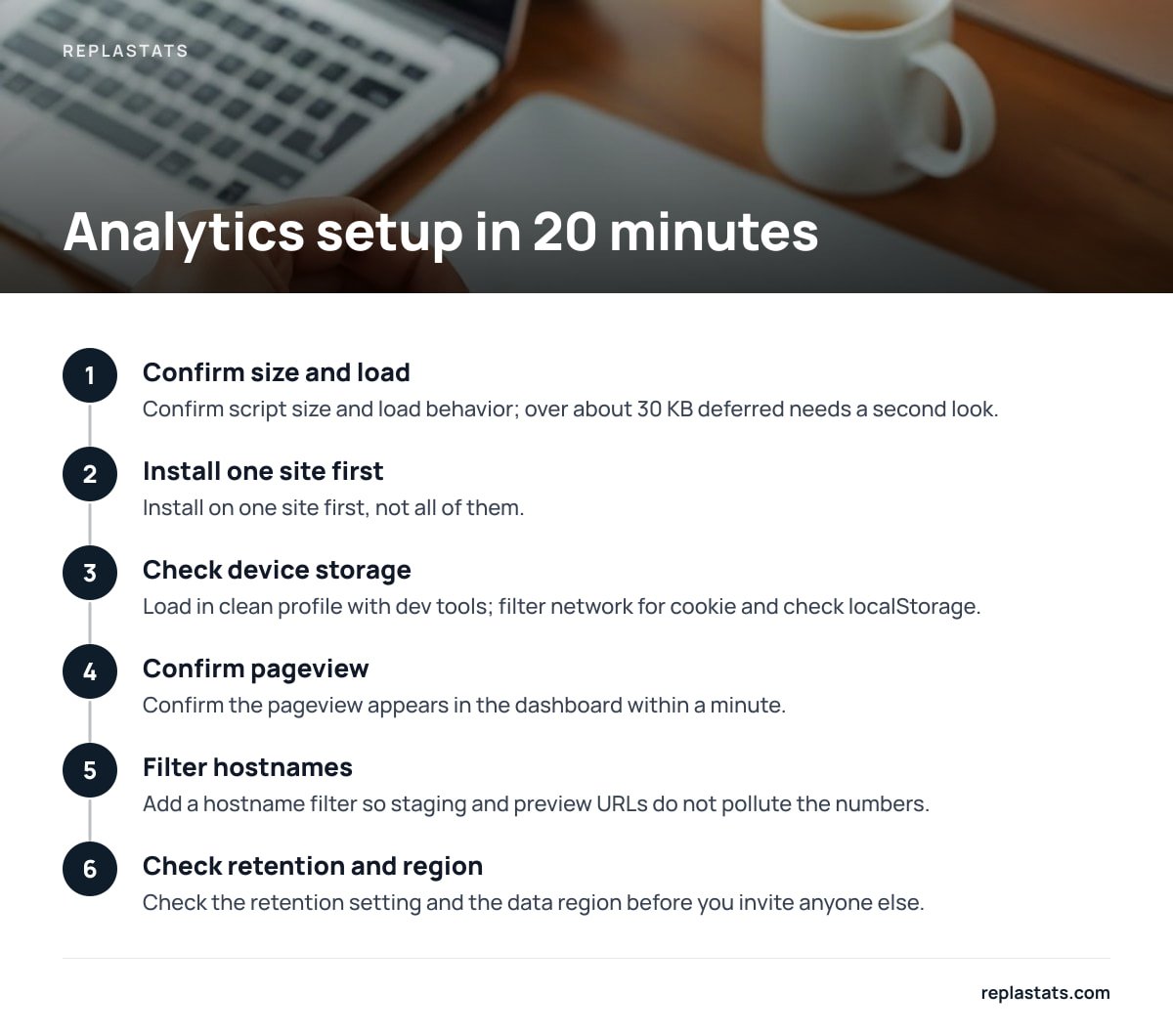
- Confirm the script size and load behavior. Anything over about 30 KB deferred deserves a second look on mobile.
- Install on one site first, not all of them.
- Load the page in a clean browser profile with dev tools open. Filter the network panel for "cookie" and check the Application tab for localStorage.
- Confirm the pageview appears in the dashboard within a minute.
- Add a hostname filter so staging and preview URLs do not pollute the numbers.
- Check the retention setting and the data region before you invite anyone else.
- Write down the install date and the snippet version somewhere your future self will find it.
Pro Tip: Test the cookieless claim yourself instead of trusting the pricing page. Open an incognito window, load your site, and check both the response headers and the Application > Storage panel. A single Set-Cookie on first load means the tool is not cookieless, whatever the marketing says, and that changes whether you need a banner. Do this before you sign an annual contract.
Get One Cookieless Dashboard for Every Site You Run
Picking a tool is the easy half. The hard half is running six sites on four platforms with no single place to look. ReplaStats is built for that: one 4.7 KB deferred script tag or a pre-connected WordPress plugin, no cookies, no consent banner, and a multi-site board that puts visitors, sources, top pages and live traffic for every site on one screen. Data sits on a separate server, so nothing lands in your site's database. Session replays and heatmaps start on the Starter plan, and Pro and Agency add the multi-site board and the option to ask Claude about your numbers in plain language. There is a free single-site tier if you want to test the install first.
One limit worth stating plainly: cookieless counting cannot follow a person across devices or build a retargeting audience, so if paid acquisition is your main channel you still need a consent-managed conversion tag alongside it. Check the spec sheet on any tool you compare, including ours, for retention length, data region and what the free tier actually includes.
Frequently Asked Questions
Is cookieless analytics automatically GDPR compliant?
No. Article 5(3) of the ePrivacy Directive covers any storage or read access on the visitor's device, including localStorage and fingerprinting, so a tool can be cookieless and still need consent. Compliance depends on configuration, data location and retention as much as on the software itself.
Do I still need a cookie banner with privacy friendly analytics?
If the tool writes nothing to the device and stores no personal data, a banner is usually unnecessary for analytics. You may still need one for embedded videos, chat widgets, ad pixels or fonts loaded from third parties, so audit the whole page rather than the analytics tag alone.
How long does it take to add analytics to Shopify or Squarespace?
About ten minutes for the storefront or the main site template, plus extra time if you need checkout or order events. On Shopify, theme code does not reach checkout, so order tracking goes through Settings > Customer events.
Is free privacy friendly analytics good enough for a small site?
For a single site with modest traffic, a free hosted tier usually covers what you need. Check the history window and the event cap first, because those are the limits you hit before you run out of pageviews.
What can't cookieless analytics do?
It cannot build remarketing audiences, follow one person across devices, or give an ad platform a persistent identifier to attribute clicks against. If paid acquisition is a major channel, keep a consent-managed conversion tag for ads.
Can I self-host privacy friendly analytics for free?
The software license is usually free, but you pay for a server, backups, upgrades and your own time. A small VPS runs around $6 a month, and maintenance is the larger cost once you run several sites.
Sources
- Directive 2002/58/EC (ePrivacy Directive) | EUR-Lex
- CNIL, the French data protection authority | CNIL
- Data Protection Commission (Ireland) | Data Protection Commission
- EU-US Data Privacy Framework | European Commission
- Analytics data retention settings | Google Analytics Help