

A session replay tool records what visitors do on your site, including clicks, scrolls, taps, and form interactions, and plays it back so you can watch real visits. Most tools record page changes as data and rebuild the page, rather than capturing video. The best choice depends on the job. Marketing and UX replay explains why people leave. Developer replay explains why something broke. Buying the wrong kind costs more than buying none.
TL;DR:
- Session replay tools rebuild visits from recorded page changes rather than video, so a recording is small data and not a screen capture.
- There are three kinds of replay: UX and marketing, product analytics, and developer debugging. Pick by the question you need answered.
- Free tools usually sample, cap, or expire recordings. At 10% sampling, a bug that hits 1% of visits shows up in only one in a thousand sessions.
- Privacy is the real cost. Mask every input by default, keep card fields out of recordings, and test your masking yourself.
- Most small sites only need a few dozen relevant replays a month. Volume limits matter less than filtering.
Table of Contents
- What Session Replay Technology Actually Records, and What It Doesn't
- What Counts as a "Session" in Analytics
- Three Kinds of Session Replay Tool, and Which One Your Job Needs
- Free Session Replay Tools: Sampling, Caps, and Who Pays
- Privacy Is the Real Cost: Masking, Consent, and Card Data
- How to Pick the Best Session Replay Tool in Five Checks
- Searches That Look Related but Aren't: Replay Attacks, Instant Replay, Python, and Excel
- Watch Real Visits Without Adding a Second Analytics Stack
- Frequently Asked Questions
- Sources
What Session Replay Technology Actually Records, and What It Doesn't

Session replay technology works by recording changes to a web page, not by filming the screen. When a visitor loads your site, a small script takes a snapshot of the page structure. It then logs every change after that: a menu opening, a field filling in, a modal appearing. It also logs mouse movement, clicks, scrolls, and viewport size. The replay player uses that log to rebuild the page in your browser and animate it.
The browser makes this possible through the MutationObserver API documented by MDN. It lets a script watch for changes to the page's DOM as they happen. This is why a ten-minute replay can weigh a few hundred kilobytes rather than the tens of megabytes a video would. It is also why the replay is usually sharper than a screen recording: the text is real text, not pixels.
A replay usually does not show you a few things:
- Content outside the page. Browser extensions, autofill popups, native file pickers, and the operating system's dialogs are invisible to the script.
- Cross-origin iframes. Embedded payment forms, video players, and third-party widgets on another domain normally show up as blank boxes.
- Canvas and WebGL content. Charts and games drawn on a canvas often need extra configuration, or they don't replay at all.
- What the visitor was thinking. A replay shows hesitation. It does not show the reason for it.
One trade-off rarely gets mentioned. Many tools store your page structure but load your stylesheets and images from your live site at playback time. Redesign your CSS on Tuesday, and Monday's replays may render with the wrong layout. If you redeploy often, check whether your tool stores assets with the recording or fetches them at playback.
What Counts as a "Session" in Analytics

A session in analytics is one continuous visit by one person. It starts when they arrive and ends when they leave or go idle. The common industry convention ends a session after 30 minutes of inactivity. Many tools also start a new session at midnight or when the visitor arrives from a different campaign source.
This matters for replay because the session is the unit you pay for and the unit you filter. A visitor who opens your pricing page, leaves the tab for an hour, and comes back will usually appear as two sessions and two separate replays. If your plan includes "1,000 sessions a month," that means 1,000 of these visits, not 1,000 people.
Pageviews and sessions are also easy to confuse. A single session can contain eight pageviews. A replay tool that counts by pageview will burn through a quota far faster than one that counts by session. Check which unit a pricing page uses before comparing numbers across vendors.
Three Kinds of Session Replay Tool, and Which One Your Job Needs

Every article ranking for this search lists tools side by side. Most of those tools were built for completely different people. A replay tool is really one of three products wearing the same name, and the right one is the one built for the question you're asking.
| Type | Built for | Answers the question | Typical extras | Watch out for |
|---|---|---|---|---|
| UX and marketing replay | Site owners, marketers, agencies | "Why do visitors leave this page?" | Heatmaps, scroll depth, traffic sources | Usually no console logs or network detail |
| Product analytics replay | SaaS product teams | "Where do users drop out of onboarding?" | Funnels, events, feature flags, cohorts | Needs event instrumentation, often priced per event |
| Developer and observability replay | Engineering teams | "What did the user do right before the error?" | Console logs, network requests, stack traces, performance traces | Replays tied to errors; costly at full volume; overkill for a brochure site |
My pick for most readers of this site: if you run marketing sites, shops, or client sites, a UX-style tool with heatmaps alongside it is the right buy. Developer-focused replays inside error-monitoring and observability platforms are excellent at what they do. They earn their price when someone on your team reads stack traces every week. If nobody does, you're paying for a debugger you won't open.
Mobile apps are a separate purchase
Web replay scripts don't record native iOS, Android, or cross-platform apps such as those built with Flutter or React Native. Mobile replay needs an SDK compiled into the app. Because there's no DOM to observe, many mobile SDKs reconstruct views or capture periodic screenshots instead. If your product is an app, filter your shortlist by supported frameworks first. Everything else comes second.
Free Session Replay Tools: Sampling, Caps, and Who Pays
Free session replay tools exist, and some are genuinely good. Each one limits you in at least one of four ways. It may sample, recording only a share of sessions. It may cap, stopping after a monthly number. It may expire recordings after a short retention window. Or it may fund itself some other way, such as using aggregated data or steering you toward a parent company's ad products.
A common question is whether free tools record every session. For most of them, the answer is "not reliably, at scale." Free tiers often record all sessions on low-traffic sites but sample or trim recordings once traffic grows. They also tend to drop very short sessions, bot traffic, and visits where the script loaded late. Before you build a process around a free tool, read its documentation on sampling and retention. Don't assume the replay list is complete.
Sampling has a cost that's easy to underestimate:
At 10% sampling, a checkout bug that hits 1% of visitors appears in one recording per thousand sessions. On a site with 3,000 sessions a month, that's three replays, and you have to find them.
The opposite mistake is just as common. "Record everything" sounds safer, but most site owners never watch more than a few dozen replays a month. What you need is the ability to filter down to the twenty sessions that matter. Good filters include visits that reached checkout and left, sessions with repeated clicks on a non-clickable element, and mobile visits that bounced from a specific landing page. A tool with 1,000 well-filtered recordings beats one with 100,000 you can't search.
Privacy Is the Real Cost: Masking, Consent, and Card Data
The biggest risk with any session replay tool is recording something you shouldn't. In 2017, researchers at Princeton published "No Boundaries: Exfiltration of Personal Data by Session-Replay Scripts" on the Freedom to Tinker blog. They found replay scripts on 482 of the 50,000 most popular websites. They showed that text typed into forms, including sensitive details, could be captured even when visitors never pressed submit. Their key finding was that masking was inconsistent and easy to misconfigure.
The rules have tightened since then. Under the EU General Data Protection Regulation, the data minimization principle in Article 5 requires that personal data be limited to what is necessary for your purpose. Recording a visitor's typed address because the tool did so by default is hard to defend. Card data carries its own rules. The PCI Security Standards Council's PCI DSS prohibits storing sensitive authentication data, such as card verification codes, after authorization. A replay that captures a CVV field is a stored copy of exactly that data.
Before you go live, set up these defaults:
- Mask all inputs by default. Unmask specific fields, such as a search box, only when you have a reason to.
- Exclude whole pages. Account settings, password resets, and anything showing order history should not be recorded at all.
- Keep payment in an iframe. Hosted payment fields from your payment processor sit on another domain, so the replay script can't see inside them. This is the simplest protection you have.
- Set retention short. Thirty to ninety days is enough to spot patterns. Recordings older than that are a liability, not an asset.
Pro Tip: Test your masking the way an auditor would. On a staging copy of your site, type a fake card number such as 4242 4242 4242 4242 and a made-up email into every form. Then open the replay and search the tool for those strings. If either appears anywhere, including in a URL, a page title, or an error message rendered on screen, your masking has a gap. Input masking routinely misses text that your own site echoes back onto the page, such as "Thanks, jane@example.com."
Whether replays need a consent banner depends on how the tool stores identifiers and where your visitors live. Cookieless analytics avoids the cookie question. It does not remove your duty to minimize what you record. If you're comparing options on that basis, our guide to website analytics tools that don't need a consent banner covers the distinction in detail.
How to Pick the Best Session Replay Tool in Five Checks
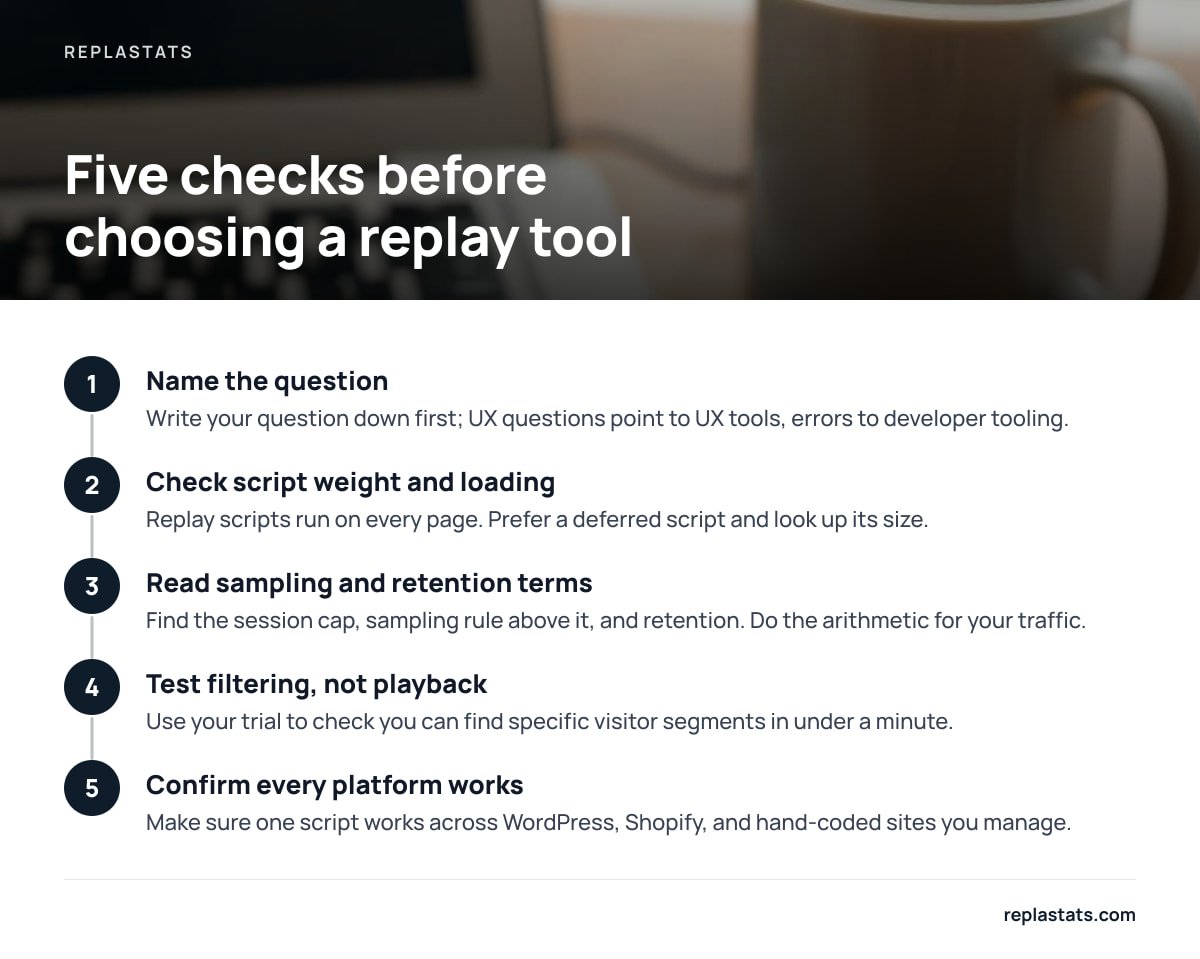
The best session replay tool is the one that answers your actual question at a price that matches how often you'll watch. Run these five checks before you sign up for anything.
- Name the question. Write it down first. Examples: "Why do mobile visitors abandon the quote form?" or "What happened before the payment error?" The first points to a UX tool. The second points to developer tooling.
- Check script weight and loading. Replay scripts run on every page. Prefer a deferred script and look up its size. On WordPress, see how the plugin loads its script before installing it. Our breakdown of WordPress analytics plugins that won't bloat your site shows what to look for.
- Read the sampling and retention terms. Find the session cap, the sampling rule above that cap, and how long recordings are kept. Do the arithmetic for your own traffic.
- Test filtering, not playback. Every tool plays back nicely. Spend your trial checking whether you can find "mobile visitors who reached the pricing page and left within ten seconds" in under a minute.
- Confirm it works on every platform you run. Agencies and freelancers often manage a WordPress blog, a Shopify store, and a hand-coded landing page at the same time. Make sure one script works across all of them. If one of your sites is static, the steps in adding analytics to a plain HTML website apply to replay scripts too.
Heatmaps deserve a mention here because they solve the "too many replays" problem. A heatmap aggregates hundreds of sessions into one picture, and you then watch the replays behind the hotspot that looks wrong. If you're on WordPress, our explainer on what heatmaps for WordPress actually show you pairs well with this checklist.
Searches That Look Related but Aren't: Replay Attacks, Instant Replay, Python, and Excel
Several searches next to "session replay tool" are about something else, or hit a technical limit worth knowing about.
Session replay attack
A session replay attack is a security problem, not an analytics feature. An attacker captures a valid session token or authentication message and reuses it to impersonate the user. The OWASP Session Management Cheat Sheet covers the defenses. These include regenerating session IDs after login, setting expiration timeouts, and using secure cookie attributes. The overlap with analytics is real, though. A replay tool should never record session tokens, so check that URLs containing tokens are masked as well.
What app can I use for instant replay?
"Instant replay" usually means sports or gaming footage. For games, your console and your operating system include built-in clip capture that saves the last few minutes on a button press, and your graphics card's software usually offers the same. For websites, a session replay tool is the equivalent: it lets you rewind a real visit after it happens.
Session replay with Python
Replay recording has to run in the visitor's browser, so the capture script is always JavaScript, whatever language your backend uses. A Django or Flask site adds the same script tag as any other site. Python becomes relevant only if you self-host an open-source replay library and write your own storage and playback service. That project is far larger than most teams expect.
Session replay into Excel
You can't meaningfully put a replay into a spreadsheet, because the recording is an event log meant for a player. What you can export is the metadata: session counts, pages, durations, devices, and sources. Many tools export these as CSV, which opens in Excel for reporting to clients.
Watch Real Visits Without Adding a Second Analytics Stack
The problem this article keeps coming back to is mismatch. Site owners buy developer-grade replay for marketing sites, sample away the sessions that matter, or bolt a heavy recording script onto pages that were fast. ReplaStats takes the opposite approach. Session replays and heatmaps sit next to your cookieless traffic numbers: visitors, sources, top pages, and live traffic. Everything loads from a single 4.7 KB deferred script, or through a pre-connected WordPress plugin with reports inside wp-admin. It works across WordPress, Shopify, Squarespace, Wix, Webflow, JavaScript frameworks, and plain HTML. On Pro and Agency, every site you run appears on one board.
The honest limits: replays and heatmaps start on the Starter plan, not the free single-site tier. ReplaStats is also built for UX and marketing questions, not stack-trace debugging, so engineering teams chasing JavaScript errors should pair it with developer tooling. Check the current pricing page and the feature list, ours included, against your five checks before committing.
Frequently Asked Questions
What is session replay technology?
Session replay technology records the changes a visitor makes to a web page, such as clicks, scrolls, typing, and page updates, and rebuilds them as a playable visit. It typically uses the browser's DOM change events rather than video, which keeps recordings small and text sharp.
Does a free session replay tool record all sessions?
Usually not at scale. Free tools tend to record everything on low-traffic sites, then sample, cap, or expire recordings as traffic grows, and they often skip very short or bot sessions. Read the tool's sampling and retention documentation before assuming the list is complete.
What is a session in analytics?
A session is one continuous visit by one person. It commonly ends after 30 minutes of inactivity. One person can generate several sessions, and one session can contain many pageviews, so check which unit a replay tool's pricing counts.
Is session replay legal under GDPR?
It can be, if you limit what you record. The GDPR's data minimization principle means you should mask inputs by default, exclude sensitive pages, keep retention short, and never capture payment card details.
Do I need developer-focused session replay for a marketing site?
Rarely. Developer replay adds console logs, network requests, and error traces, which help engineers debug code. For understanding why visitors leave a page or abandon a form, a UX-focused replay tool with heatmaps is cheaper and easier to use.
What is a session replay attack?
It's a security attack in which someone captures a valid session token or login message and reuses it to impersonate a user. It isn't related to analytics recordings, although a replay tool should never capture session tokens in URLs or on screen.
Sources
- MutationObserver | MDN Web Docs (Mozilla)
- No Boundaries: Exfiltration of Personal Data by Session-Replay Scripts | Freedom to Tinker (Princeton CITP)
- Regulation (EU) 2016/679 (General Data Protection Regulation) | EUR-Lex
- PCI Data Security Standard | PCI Security Standards Council
- Session Management Cheat Sheet | OWASP Cheat Sheet Series