

Website analytics measures how real people find and use your site: how many visitors arrive, where they came from, which pages they read, and what they do next. The distinction that matters most is how the data is produced. A tool installed on your own site counts actual visits. A "traffic checker" that analyzes any domain only estimates from panels and third-party data. The first tells you what happened. The second tells you roughly what probably happened.
TL;DR:
- Installed website analytics counts real visits on your site. Domain "traffic checkers" model estimates and are only useful for sizing up competitors.
- Five numbers cover almost every decision a small site makes: visitors, sources, top pages, conversions, and change over time.
- The consent banner comes from rules about storing or reading data on a visitor's device, not from analytics as such. Cookieless tools can often skip it.
- The best-known free platform costs nothing to license. You pay for it in setup time, a consent banner, and data lost from visitors who decline.
- An AI chatbot can review your pages but can't see your traffic unless you connect it to real analytics data.
Table of Contents
- Website Analytics Means Two Different Things, and Only One Measures Your Site
- What Website Analytics Actually Do: The Five Numbers Worth Watching
- How the Data Gets Collected: Cookies, Consent, and Why the Banner Exists
- Is the Standard Free Analytics Platform Really Free?
- The Best Website Analytics Tool Depends on One Question
- Can an AI Chatbot Analyze Your Website? Yes and No
- Setting Up Website Analytics in Under an Hour, Step by Step
- See Every Site's Traffic on One Screen, Without a Consent Banner
- Frequently Asked Questions
- Sources
Website Analytics Means Two Different Things, and Only One Measures Your Site
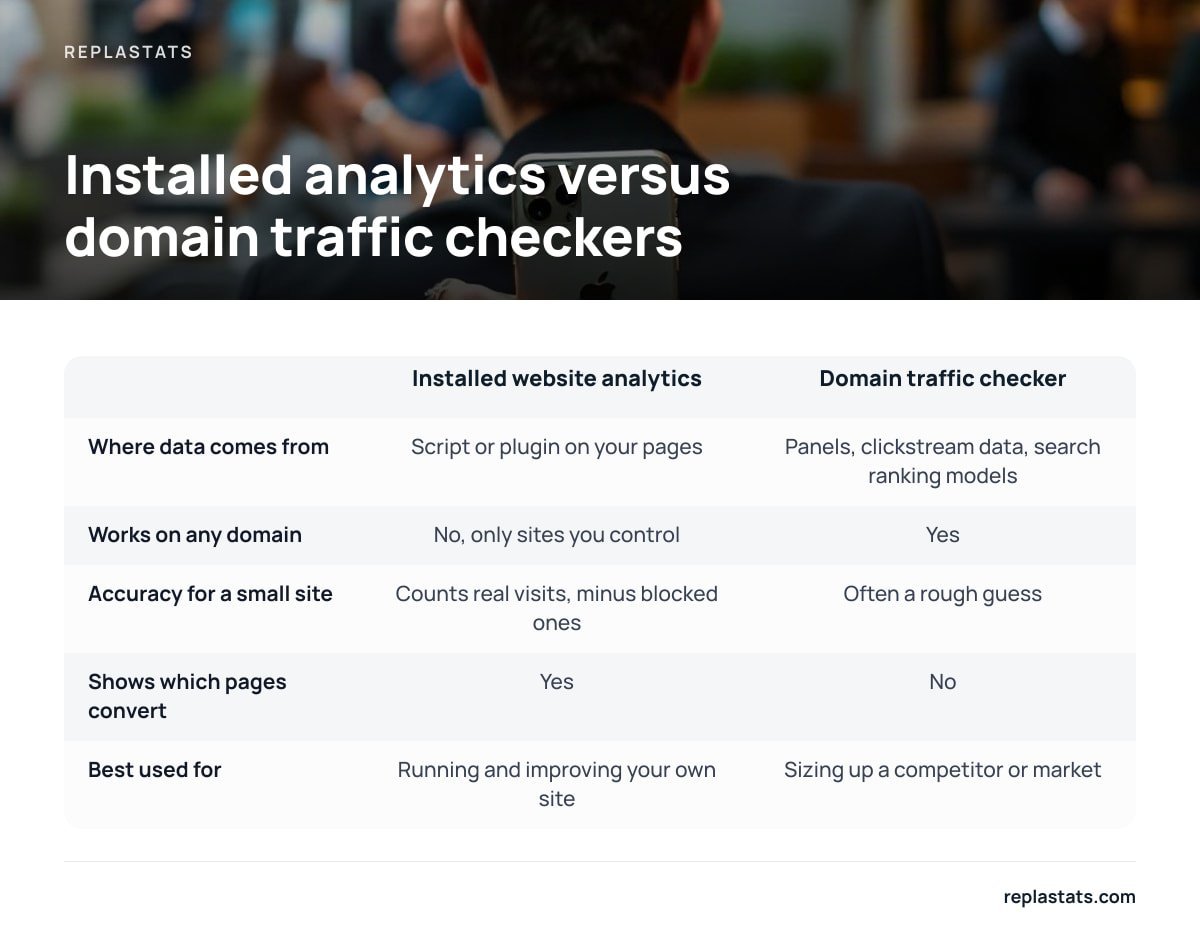
Search for "website analytics" and you'll get two kinds of product mixed together on the same results page. Some are tools you install on your own site. Others are traffic checkers where you type in any domain and get a visitor number back. They answer different questions, and confusing them is the most common mistake new site owners make.
Installed analytics works by adding a small script, or a plugin on platforms like WordPress, to every page. Each time a real browser loads a page, the script reports the visit. The numbers are counts. They have their own blind spots, such as ad blockers or visitors who decline tracking, but they start from actual events on your site.
Traffic checkers can't see inside your site at all. They estimate from outside signals, such as panels of users who installed a browser extension, purchased clickstream data, and models built on search rankings. The method is reasonable for comparing large sites. It gets shaky for small ones, where a handful of panel users can swing the estimate wildly.
| Installed website analytics | Domain traffic checker | |
|---|---|---|
| Where data comes from | A script or plugin on your own pages | Panels, clickstream data, search ranking models |
| Works on any domain | No, only sites you control | Yes |
| Accuracy for a small site | Counts real visits, minus blocked ones | Often a rough guess |
| Shows which pages convert | Yes | No |
| Best used for | Running and improving your own site | Sizing up a competitor or market |
A traffic checker has never seen a single visit to your site. Every number it shows you is a model's estimate.
So if you typed your own domain into a free checker and the number looked wrong, it probably was. For your own sites, install real analytics and treat checkers as a rough research tool for other people's sites.
What Website Analytics Actually Do: The Five Numbers Worth Watching
Website analytics turn raw page loads into answers to practical questions: is anyone coming, how did they find you, what do they read, and did they do the thing you built the site for? A dashboard can show dozens of reports, but almost every decision on a small or mid-sized site comes down to five.
- Visitors. These are unique people, or a close approximation, over a period. Use them to tell whether the site is growing, flat, or shrinking. Pageviews alone can mislead, because one visitor refreshing a page ten times looks like a crowd.
- Sources. These show where visits came from: search engines, social platforms, newsletters, other sites linking to you, or direct visits with no referrer. This is the report that tells you which marketing effort is working.
- Top pages. These are the pages people actually land on and read. They often differ from the pages you think matter, and that gap is usually where the quickest wins are.
- Conversions. These are the actions that count for your site: a form sent, a purchase, a booking, a signup. Without at least one conversion defined, you're measuring attention, not results.
- Change over time. Compare the same weekdays across weeks and the same month across years. One day's spike is noise. A four-week trend is information.
Live traffic, meaning who's on the site right now, is the sixth number people check most. It's useful for confirming a launch or a newsletter send is landing, and not much else.
Behavior tools go a layer deeper. Heatmaps show where clicks and scrolling cluster. Session replays reconstruct an individual visit. They answer why a page underperforms rather than whether it does. Choose one by the specific problem you're trying to solve, as covered in our guide to picking a session replay tool by the job.
How the Data Gets Collected: Cookies, Consent, and Why the Banner Exists

The consent banner most sites show isn't required by "analytics" as a concept. It comes from a specific legal rule about visitors' devices. In the EU, Article 5(3) of the ePrivacy Directive says that storing information on, or reading information from, a user's device requires consent unless it is strictly necessary for the service the user asked for. Analytics cookies are generally not treated as strictly necessary, so cookie-based analytics typically needs a banner.
The rule is about the device, not the data. "Anonymized" analytics that still sets a cookie usually still needs consent under Article 5(3) of the ePrivacy Directive.
The rule also isn't limited to cookies. The UK regulator, the ICO, applies its cookie rules to "similar technologies" too, including local storage and device fingerprinting. A tool that drops cookies but fingerprints browsers instead hasn't solved the problem. It has hidden it. When a vendor says "cookieless," ask what it does instead.
There is a narrower path some tools take. France's data protection authority, the CNIL, has said certain audience measurement tools can be exempt from consent if they are strictly limited to producing anonymous statistics for the site owner and aren't used to track people across sites or combined with other data. Cookieless analytics built on that model, with aggregate counts, no cross-site profiles, and no data resale, is why some tools can run without a banner at all.
Separately, the GDPR governs any personal data you collect, including IP addresses, whichever collection method you use. Outside Europe, the rules lean toward opt-out rather than opt-in. The California Consumer Privacy Act, for example, gives residents the right to opt out of the sale or sharing of their personal information. If your audience is global, design for the strictest rule you're likely to face.
Is the Standard Free Analytics Platform Really Free?

Yes, at the license level. The most widely installed free analytics platform costs nothing for its standard version, and a paid enterprise tier exists for very large organizations that need higher limits and service guarantees. Logging in and adding the tag costs you nothing.
The costs show up elsewhere:
- A consent banner. Because it relies on cookies, EU and UK visitors typically have to opt in. Many site owners pay for a consent management tool on top.
- Missing data. Visitors who decline or ignore the banner aren't fully counted. Your reports describe the people who said yes, which can be a skewed slice of your audience.
- Setup and learning time. The current version is event-based and built for large marketing teams. Basic questions like "which page brought in the most signups last month?" can mean building a custom report.
- Page weight. The tag and its dependencies are considerably heavier than a lightweight cookieless script measured in single-digit kilobytes.
Pro Tip: To find out how much a cookie-based tool is missing on your site, compare one month of orders or form submissions in your shop or CRM backend against the conversions your analytics recorded for the same month. The ratio between the two is your real-world coverage. It's a more honest number than any vendor's accuracy claim, and it tells you whether the free tool is "free" or just partial.
For a marketing team running paid ads that depend on conversion modeling, those costs are often worth it. For a freelancer running five brochure sites, they usually aren't.
The Best Website Analytics Tool Depends on One Question
There's no single best website analytics tool. There's a best fit for what you need to decide. Ask yourself: what decision will I make from this data? Then pick the simplest tool that answers it.
| If your main job is… | Pick this kind of tool | Why |
|---|---|---|
| Knowing traffic, sources and top pages for one or several sites | Cookieless, lightweight analytics | Answers the core questions without a banner or a learning curve |
| Running paid ad campaigns with cross-channel attribution | A full cookie-based marketing platform | Ad integrations and attribution modeling justify the overhead |
| Understanding why a page or checkout underperforms | Session replays and heatmaps | Shows behavior that counts alone can't explain |
| Tracking feature usage inside a web app | Event-based product analytics | Built around users and actions, not pages |
| Sizing up a competitor's traffic | A domain traffic checker | The only option for sites you don't own, with the caveat above |
Our position: most small sites start with the heaviest tool and use 5% of it. If you run content sites, client sites, or a small shop, start cookieless. You'll get visitors, sources, top pages and conversions with no banner, and you can add replays or heatmaps when a specific question needs them. Move to a full marketing platform only when paid ad attribution becomes a real budget line. For a side-by-side look at options that skip the banner, see website analytics tools you can pick without a consent banner and how to choose a cookie-free tool that fits.
Can an AI Chatbot Analyze Your Website? Yes and No
An AI chatbot can analyze what's on your website. Give it a URL or paste in your page copy, and a general-purpose assistant can critique headlines, spot unclear calls to action, suggest structure changes, and flag missing information. That's useful, and it's free.
What it can't do on its own is tell you how your site is performing. It has no access to your visitor counts, sources or conversions. If you ask "how much traffic does my site get?", it will either decline or produce a guess with no more basis than a traffic checker. Treat any confident traffic number from a chatbot with suspicion.
The useful version connects the assistant to your real analytics data. The Model Context Protocol, an open standard for linking AI assistants to outside data sources, lets an assistant query your actual reports and answer questions like "which pages lost search traffic this month?" in plain language. We walk through one setup, and its limits, in our guide to connecting an analytics MCP server. The rule is simple: the AI is only as good as the data you hand it.
Setting Up Website Analytics in Under an Hour, Step by Step

You don't need a website analytics course to get useful data. Courses help if you're heading into a marketing analyst role. For running your own sites, these steps cover it:
- Write down the one decision you want data for. For example: "Is the newsletter worth the time?" or "Which service page gets inquiries?" This tells you which conversion to set up.
- Pick a tool that matches your platform. WordPress, Shopify, Squarespace, Wix and Webflow all accept a script snippet in their settings, and WordPress also supports plugins. For hand-built sites, see how to add analytics to a plain HTML website, page by page.
- Install the script and load data from site-wide. Put it in the shared header or template so every page is covered, not just the homepage.
- Confirm with live traffic. Open your site on your phone using mobile data and watch the visit appear. If it doesn't show within a minute or two, the tag isn't firing.
- Exclude yourself. Your own visits inflate small sites badly. Use the tool's exclusion setting or a browser flag.
- Define one conversion. Track a form submission, a thank-you page view, or a purchase.
- Wait four weeks before judging anything. Early numbers are noisy, and most "traffic drops" in the first month turn out to be measurement changes, not audience changes.
Then put a recurring 15-minute check on your calendar. Compare sources and top pages against the previous four weeks. That habit beats any dashboard you set up once and never open again.
See Every Site's Traffic on One Screen, Without a Consent Banner
If what this article describes, real counts rather than estimates and no banner, sounds like what you need, Replastats is built for exactly that. It shows visitors, sources, top pages and live traffic for every site you run, whether the site is on WordPress, Shopify, Squarespace, Wix, Webflow, a JavaScript framework or plain HTML. It installs with a single 4.7 KB deferred script or a pre-connected WordPress plugin that shows reports inside wp-admin. Data lives on a separate server, not in your site's database, and the cookieless setup needs no consent banner.
There's a free tier for one site. Starter adds longer history plus session replays and heatmaps. Pro and Agency add the multi-site board and the option to ask Claude about your numbers. The honest caveat: Replastats deliberately does not do cross-channel ad attribution. If paid campaigns drive your business, check its feature list against what your ad reporting needs before you switch.
Frequently Asked Questions
What do website analytics do?
Website analytics record visits to your site and turn them into reports on visitors, traffic sources, top pages, conversions and trends over time. They tell you whether people are coming, how they found you, and whether they take the actions your site exists for.
Is the most popular website analytics platform free?
The standard version of the most widely used analytics platform is free to license, and a paid enterprise tier exists for large organizations. The hidden costs are a consent banner for EU and UK visitors, data missing from people who decline it, and a substantial learning curve.
Can an AI chatbot analyze a website?
An AI chatbot can review a website's content, copy and structure and suggest improvements. It cannot see your traffic, sources or conversions unless you connect it to your real analytics data, for example through a Model Context Protocol connection.
What is the best website analytics tool?
The best tool depends on the decision you need to make. For traffic, sources and top pages across one or several small sites, lightweight cookieless analytics is usually the best fit. A full cookie-based marketing platform makes sense mainly when paid ad attribution is central to your business.
Are website traffic checkers accurate?
Traffic checkers estimate visits from panels, clickstream data and search ranking models, because they cannot see inside a site they don't control. They are reasonable for comparing large sites but often unreliable for small ones, so use installed analytics for your own sites.
Do cookieless analytics need a consent banner?
Often not, as long as the tool produces aggregate, anonymous statistics for the site owner and doesn't store data on the visitor's device, fingerprint browsers, or track people across sites. EU rules apply to storing or reading information on a device, not just to cookies, so check how any "cookieless" tool actually works.
Sources
- Directive 2002/58/EC (ePrivacy Directive) | EUR-Lex, Publications Office of the European Union
- Regulation (EU) 2016/679 (General Data Protection Regulation) | EUR-Lex, Publications Office of the European Union
- Information Commissioner's Office | ICO
- Commission Nationale de l'Informatique et des Libertés | CNIL
- California Consumer Privacy Act (CCPA) | State of California Department of Justice, Office of the Attorney General
- Model Context Protocol | Model Context Protocol